JD990 Super Editor ~ Roland JD-990 Editor


CtrlrX based editor for Roland SUPER JD SYNTHESIZER MODULE JD-990

Features:

  • Menu access to SR-JV80/SL-JD80 external card patches and waveforms if installed.
  • Rename any remote patch name for Internal Patches I-11 – I-88 (64 x patches).
  • Save Temporary Patch data on Ctrlr panel to any Internal Patch location I-11 – I-88 (64 x patches).
  • Palette mode. Quick adjustment of each Tone ABCD using mouse wheel or click & drag.
  • Patch data on panel can be saved as a sysex file to computer.
  • Bulk Sysex dumps of patches I-11 – I-88
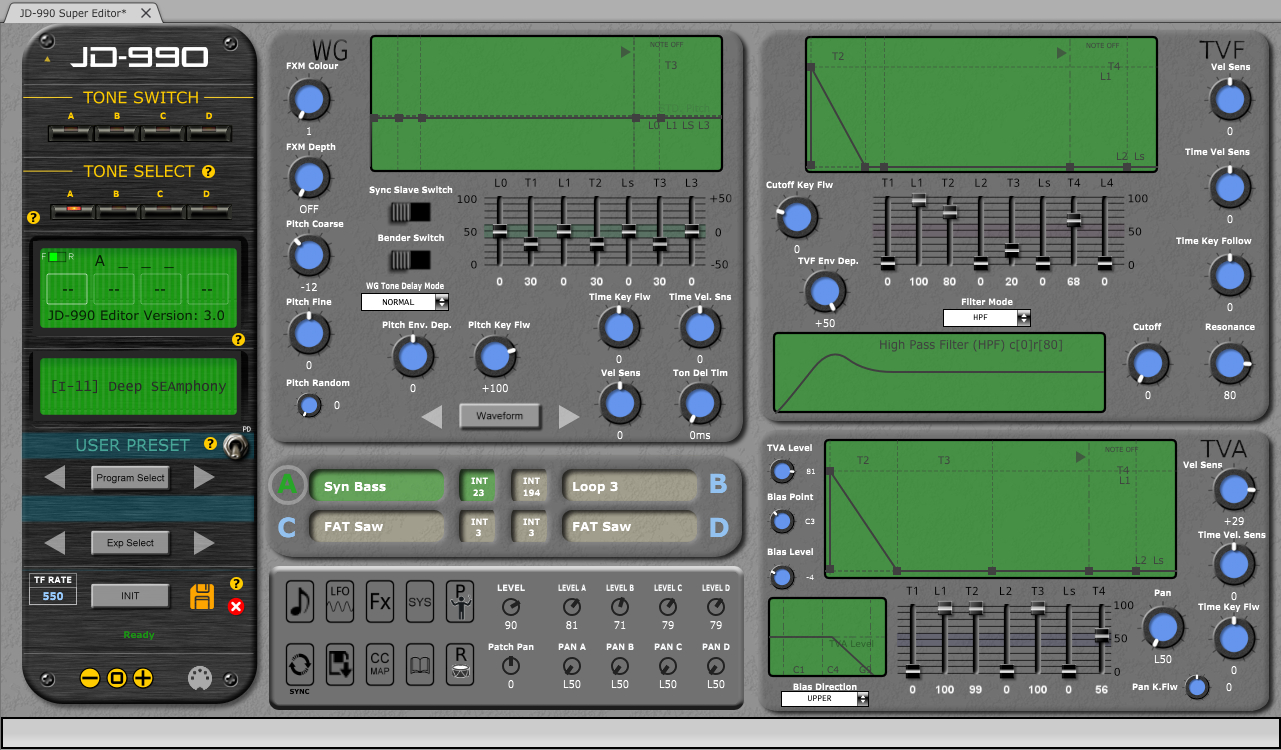
  • Emulation of most graphic elements on the JD-990 display.
  • Separate ”mixer’ area allowing simultaneous adjustment of each Tone Level & Pan.
  • Sync button~ synchronising panel with JD-990.
  • PATCH mode, PERFORMANCE and RHYTHM editing
  • Map Keyboard Control CC messages to panel.
  • MIDI learn feature
  • Support for SO-PCM1 cards not yet fully implemented
JD990 Super Editor

sourceforge.net/projects/jd990-super-editor
github.com/RomanKubiak/ctrlr

Voxengo Boogex


Applications

  • Real-time guitar processing
  • Speaker cabinet simulation
  • Stereo convolution processing
  • Guitar reverb effect

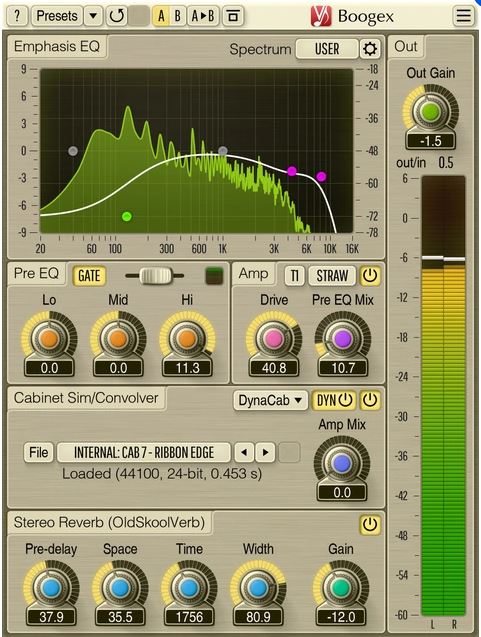
Boogex is a free guitar amplifier AudioUnit, AAX, and VST plugin with a variety of sound shaping features, for professional sound and music production applications.  With Boogex it is possible to get a heavy distorted sound as well as slight “jazzy” saturation sound.  Boogex is able to apply convolution with any speaker cabinet impulse response (selection of built-in impulses is available).  The processing latency is close to zero making it possible to use Boogex for real-time guitar processing.

Boogex can be used as a plain stereo convolution processor when its “Amp” stage is turned off.  The convolver module has zero latency and is not CPU-demanding.  Boogex also includes the input gate module, and reverberation module derived from Voxengo OldSkoolVerb reverb plugin.

Boogex produces a nice “minimalist” rock music-geared sound which may be a bit noisy at higher overdrive settings; higher frequencies can be easily suppressed with its built-in Emphasis EQ.  With the amp modes Boogex currently provides, it is not particularly well-suited for metal music, but can still be used as a cabinet impulse response processor for metal music.

www.voxengo.com/product/boogex

Overtone GEQ ~ Harmonic Graphic Equalizer


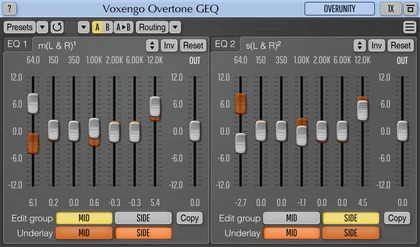
Overtone GEQ is a free 7-band harmonic (overtone) graphic equalizer AudioUnit, AAX, and VST plugin with multi-channel operation support (supporting up to 8 input/output channels, audio host application-dependent).  Overtone GEQ offers extensive internal channel routing capabilities, and supports mid/side channel processing.

Beside equalizing, Overtone GEQ applies harmonic enhancement: it uses 7 harmonic enhancement modules, one for each EQ band.  This generates a complex harmonic coloration you will probably like a lot.

Overtone GEQ was designed to allow audio engineers to apply quick EQ shape adjustments together with adding a bit of harmonic richness to the audio material (mainly mixes and sub-mixes due to a comparably high load this EQ puts on a CPU).

www.voxengo.com/product/overtonegeq

Wigware Ambisonic Decoder (WAD)


Wigware Ambisonic Decoder (WAD)

This program now comes in two flavours, as a Direct Show filter and a VST plugin. The Direct Show Filter allows any Direct Show capable audio player software (such as Windows Media Player) the ability to read and decode B-format wave files (the format of which is specified here on Richard Dobson’s web page – details on the Waveformat extensible file format used can be found on Microsofts web site here – details on Ambisonics can be found here).

The VST version comes in 1st and 2nd order versions (3rd and 4th order versions to follow) and allows you to alter the polar patterns of the speaker feeds either across the whole frequency range or using ‘Shelf Filters’ with a variable cut-off. Both of the VST plugins will derive outputs for a standard ITU 5 speaker array, with higher orders giving better frontal resolution.

web.archive.org/web/20070806013036/http://sparg.derby.ac.uk/SPARG/Staff_BW

PedalBoard ~ Python Audio Library


pedalboard is a Python library for working with audio: reading, writing, rendering, adding effects, and more. It supports most popular audio file formats and a number of common audio effects out of the box, and also allows the use of VST3® and Audio Unit formats for loading third-party software instruments and effects.

Features:

  • Built-in audio I/O utilities (pedalboard.io)
    • Support for reading and writing AIFF, FLAC, MP3, OGG, and WAV files on all platforms with no dependencies
    • Additional support for reading AAC, AC3, WMA, and other formats depending on platform
    • Support for on-the-fly resampling of audio files and streams with O(1) memory usage
    • Live audio effects via AudioStream
  • Built-in support for a number of basic audio transformations, including:
    • Guitar-style effects: ChorusDistortionPhaserClipping
    • Loudness and dynamic range effects: CompressorGainLimiter
    • Equalizers and filters: HighpassFilterLadderFilterLowpassFilter
    • Spatial effects: ConvolutionDelayReverb
    • Pitch effects: PitchShift
    • Lossy compression: GSMFullRateCompressorMP3Compressor
    • Quality reduction: ResampleBitcrush
  • Supports VST3® instrument and effect plugins on macOS, Windows, and Linux (pedalboard.load_plugin)
  • Supports instrument and effect Audio Units on macOS
  • Strong thread-safety, memory usage, and speed guarantees
    • Releases Python’s Global Interpreter Lock (GIL) to allow use of multiple CPU cores
      • No need to use multiprocessing!
    • Even when only using one thread:
      • Processes audio up to 300x faster than pySoX for single transforms, and 2-5x faster than SoxBindings (via iCorv)
      • Reads audio files up to 4x faster than librosa.load (in many cases)
  • Tested compatibility with TensorFlow – can be used in tf.data pipelines!

github.com/spotify/pedalboard

BlackDiamond ~ Fruityloops Studio Clone


Fruityloops clone with sound samples using Fmodex lib

BlackDiamond (formerly Crazy Machine) is a project I neglected for years until I got back into making music. The package comes with free VST plugins and samples, and soon to be introduced at some point in time, perfect sequencer sample mixer playback thingamagiggy we are now back in full armor trying to create the wildest dreams of software working on BlackDiamond.

Features:

  • Six built in effects for each 16 channels Flange, Chorus, Compression, Echo, Distortion, Reverb
  • fruity loops style pattern manipulation
  • Written in FreeBasic, the most best freeware IDE compiler for basic language
  • Recent May 2019 re-programming to V3
  • VST and Dialog window support, switch plugins with a click
  • calculations are now down to the clock cycle to milliseconds
  • Load VST plugins, samples during playback.
  • View VST plugin dialog, which works when using SET MS method
  • SET MS (Alter VST plugin data) now very easily tuneable
  • Supports ASIO Interface and Microsoft Windows wave file writing

sourceforge.net/projects/jesuschristsuns

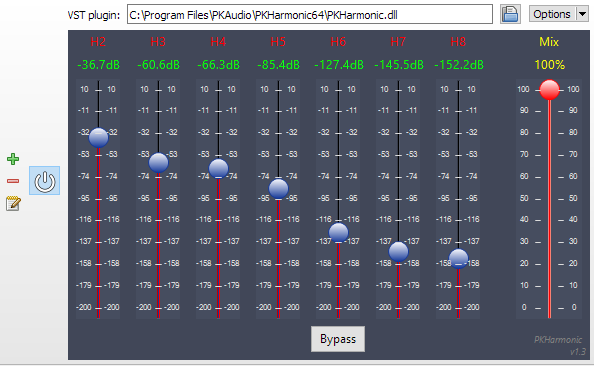
PKHarmonic VST Plugin ~ Audiophile Harmonics Generator


distortaudio.org/pkharmonic

Drops ~ Single Sample Player


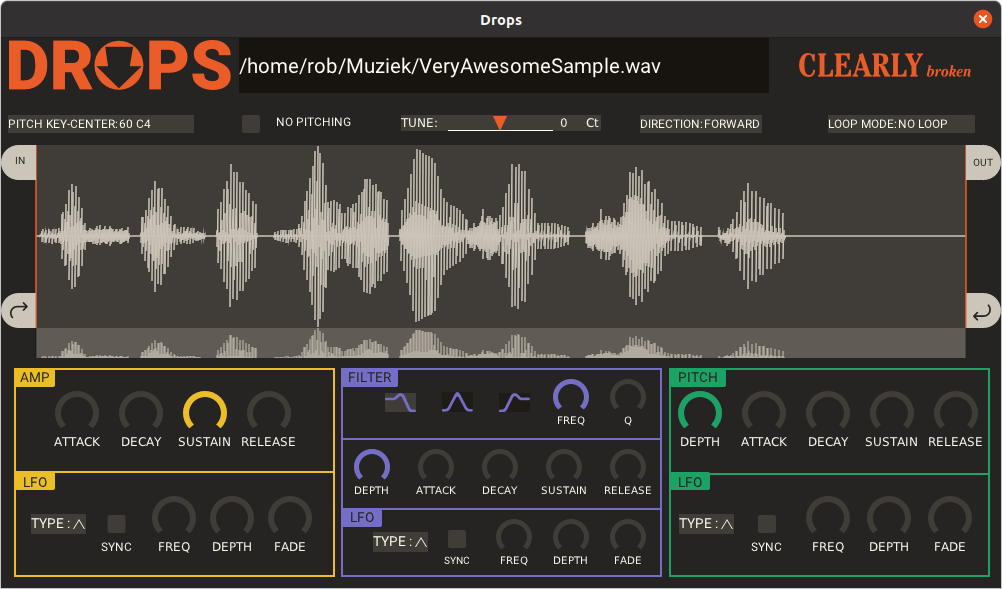
Drops is a single audio file sample player plugin in lv2 and vst format for linux.

Load an audio file, play it, loop it, pitch shift it, and make it into something entirely new.

github.com/clearly-broken-software/drops

Bitter ~ Bitscope & Intersample Clip Monitor


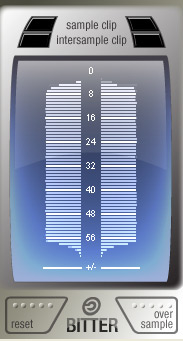
Bitter shows how many of the available bits are being used by the audio signal, reports clipping samples, and estimates when digital-to-analog conversion would cause inter-sample clips. Typical uses for a bitscope include: verifying that a render dither is working properly; verifying that a particular plugin is not reducing the signal bit depth; testing for faulty audio source data.

Features:

  • Check for Intersample Clipping that may appear during digital-to-analog conversion
  • Detailed display of the usage density of each bit
  • Reveal the bitrate of the digital signal, which may well differ from that of the file’s bitrate or your DAW’s audio engine bitrate
  • Display the audio sample rate

www.stillwellaudio.com/plugins/bitter

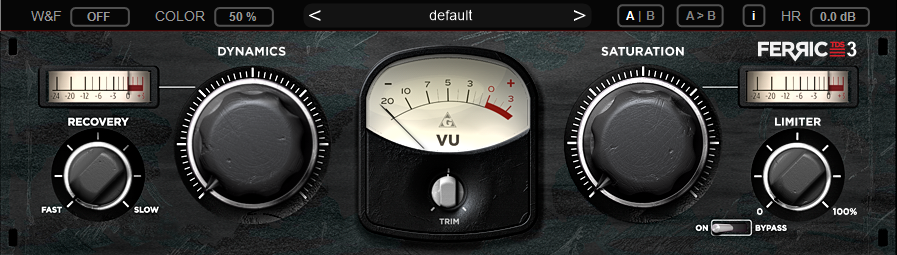
FerricTDS mkIII ~  Tape Dynamics Simulator


THD Meter ~ Measure Total Harmonic Distortion


MathAudio THD Meter VST/AU

  • Measures Total Harmonic Distortion (THD) in sound cards, speakers and headphones.
  • Applies matched filters for maximizing the signal-to-noise ratio (SNR) in the presence of additive stochastic noise.
  • Supports microphone calibration files.
  • Supports full range of sample rates from 44.056 kHz up to 384 kHz. All sample rates are supported without resampling to avoid any possible loss in accuracy.

mathaudio.com/thd-meter

J-Scope ~ Oscilloscope VST Plugin


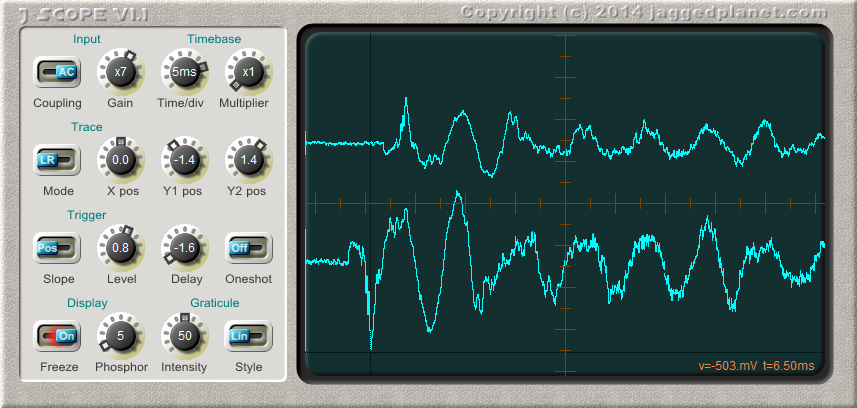
J-Scope is a VST oscilloscope plugin, which can prove invaluable to anyone who develops audio software and has a need to diagnose problems or visualise waveforms.

In operation it is very similar to a real oscilloscope, and most controls will be familiar to anybody who has used a hardware ‘scope. The addition of a control for phosphor decay time allows the examination of rapidly changing waveforms as well as slowly evolving sound envelopes.

J-Scope accepts a stereo signal, and can display it in several modes:

  • Two separate traces, L and R
  • Single trace, sum of L and R
  • Single trace, difference between L and R
  • X/Y (Lissajous) plot, L vs R
  • X/Y (Lissajous) plot, Sum(L+R) vs Diff(L-R)

jaggedplanet.com/vst/jscope