DFasma ~ Compare Audio Files In Time & Frequency


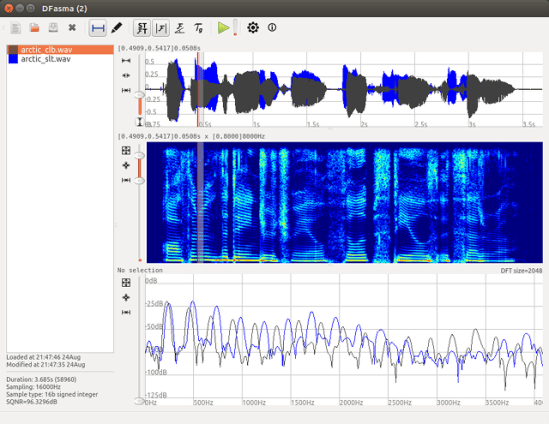
DFasma is free open-source software which is used to compare audio files in time and frequency. The comparison is first visual, using waveforms and spectra. It is also possible to listen to time-frequency segments in order to allow perceptual comparison. It is basically dedicated to analysis. Even though there are basic functionalities to align the signals in time and amplitude, this software does not aim to be an audio editor.

Features:

  • Can load about 25 different audio formats (thanks to libsndfile or libsox).
  • Shows spectrogram, amplitude, phase spectra and group delay.
  • Can play a filtered sound given a selected frequency band.
  • Rectification of the spectrogram tilt (cepstral lifting).
  • Can create and edit segmentation files.
  • Can create and edit fundamental frequency (F0) files (thanks to REAPER).
  • Runs under Linux, Mac OSX and Windows.
dfasman - ss1.4_2comparison

gillesdegottex.github.io/dfasma

foo_wave_seekbar ~ Foobar2000 Waveform Seekbar


Enhance the appearance and functionality of Foobar2000 by adding a visual waveform representation of the currently playing audio track, which can be used to navigate to any point in the image of the track by clicking there.

Waveform Seekbar is a UI element for both the Default UI and Columns UI that provides seekbar functionality (seeking, position indicator) on top of a pretty image of the waveform of the currently playing song, drawn using either Direct3D 9.0c or Direct2D 1.0.

foobar_waveform_seekbar

Foobar Waveform Seekbar in action

Topic ~ Hydrogen Audio
Download ~ Hydrogen Audio
Documentation ~ Hydrogen Audio
Source code ~ GitHub

Additional resources:

Waveform Minibar ~ CUI Only
Installing a foobar component
Waveform ~ Wikipedia

Baudline ~ Visual Signal Analyzer


Baudline is a time-frequency browser designed for scientific visualization of the spectral domain. Signal analysis is performed by Fourier, correlation, and raster transforms that create colorful spectrograms with vibrant detail. Conduct test and measurement experiments with the built in function generator, or play back audio files with a multitude of effects and filters. The baudline signal analyzer combines fast digital signal processing, versatile high speed displays, and continuous capture tools for hunting down and studying elusive signal characteristics.

Explore, Analyze, and Discover.

baudline

Linux / MacOS / Unix

Website
Downloads
Twitter
Wikipedia

Baudline Mystery Signal Of The Month

Every month a new mystery signal is posted. Can you identify it?

Monthly Mystery Signal

Spectro ~ Audio File Analyzer


Spectro is a freeware audio file analyzer for Windows. Currently capable of reading FLAC, APE, MP3 and WAV files. Spectro lets you view vital data about compressed audio files and creates a spectrogram of the wave data. This allows you to quickly and easily spot quality issues with a file and also look for transcodes.

spectro

spectro.enpts.com

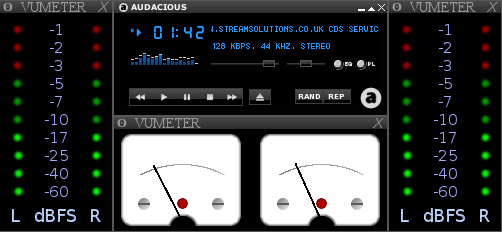
Audacious & XMMS ~ VU Meters Plugin


Open source, multi-instance, skinnable VU meters for Audacious and XMMS.

sc5

Audacious with several instances

vumeterplugin.sourceforge.net
Discussion
Downloads

Skins:
http://vumeterplugin.sourceforge.net/themes.php
http://www.gnome-look.org/content/show.php/LED+VU+meter?content=140540

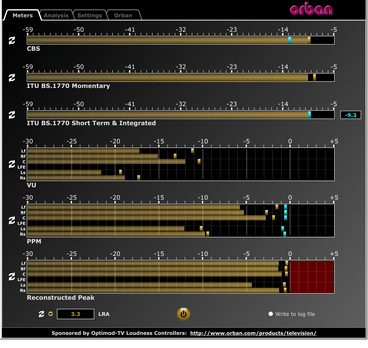
ORBAN Loudness Meter ~ Loudness & Peak Display


This software simultaneously displays instantaneous peaks, VU, PPM, CBS Technology Center loudness, and ITU BS.1770 loudness. All meters include peak-hold functionality that makes the peak indications of the meters easy to see.

The software accepts two-channel stereo inputs. The VU and PPM meters are split to indicate the left and right channels. The PPM meter also displays the instantaneous peak values of the L and R digital samples. ~ Hydrogen Audio

ORBAN Meter

www.orban.com/orban/meter

Foobar2000 ~ Playlist Viewers


Foobar2000 Playlist Viewers display the current playlist of songs. Different playlist viewers offer various capabilities such as formatting, grouping and visual options. A playlist viewer is usually the central panel and main focus of a Foobar2000 interface.

foobar2000-simplaylist-groups-v1
SimPlaylist

Adding a custom column to a playlist view: (using play count as an example)

  • When adding a column view in a playlist, you’ll need to define the column first.
  • Navigate to Preferences > Display > Default User Interface > Playlist View > Custom Columns
  • at the bottom of the custom columns windows, click “Add new
  • Name the Column “Played‘ and %play_count% as the ‘pattern’
  • click apply, ok
  • Now right click the title bar of the playlist and select “Columns” and make sure ‘Played‘ is selected (checkmarked) and that you can see the column in the playlist, it will be last but you can rearrange it.

Resources:

Configuring the default playlist viewer

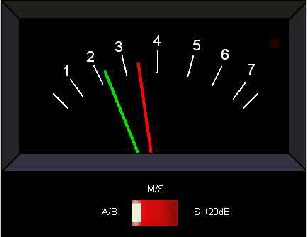
Paul Marshall Analog Audio Level Meters


These standalone audio level meter programs allow the optimum setting of input levels for various sound recording functions, particularly for video editing.

ppmme121

web.archive.org/web/20130627213637/http://www.darkwooddesigns.co.uk/pc2/meter

Highly accurate PP

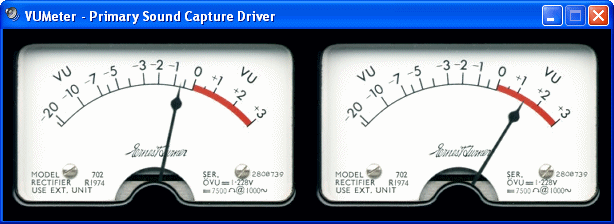
VUMeter ~ Windows Analog VU Meter


A standalone analog VU meter for monitoring PC playback & recording levels.

vumeter

Website

Foobar2000 ~ DADA Automatic Song Rating


Date and duration adjusted (DADA) auto-rating algorithm for foobar2000

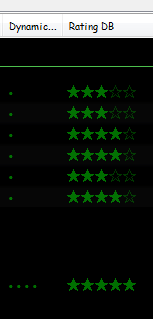
The DADA Auto-Rating algorithm (DAR) automatically rates music according to a variety of statistics collected by foobar2000’s official “playback statistics” plugin.

If done well, an auto-rating algorithm will simply tell you what your favorite (and conversely, least favorite) music is, and the rating will be derived from and reflect actual listening behavior. This is quite different from manual ratings (e.g. 1 – 5 stars set by the user), since there’s very often a disparity between what we’d like ourselves to like, and what we actually like. For those interested in uncovering their actual musical tastes, a good auto-rating formula can be quite illuminating.

Foobar - Ratings and DAR - cropped

www.giantpygmy.net/studio/?post=dada-music-auto-rating-algorithm-foobar2000
Hydrogen Audio Discussion

MilkDrop ~ Audio Visualization Plugin


MilkDrop is a music visualizer – a “plug-in” or extension to Winamp or Foobar2000 music players. As you listen your music in Winamp, MilkDrop takes you flying through the actual sound waves you’re hearing, and uses beat detection to trigger myriad psychedelic effects, creating a rich visual journey through sound. MilkDrop can also be driven by a live audio feed (microphone or line-in).

www.geisswerks.com/milkdrop
sourceforge.net/projects/milkdrop2
en.wikipedia.org/wiki/MilkDrop

Foobar2000 ~ Extensible Audio Interface & Player


An advanced and evolved freeware audio player for Android, Mac, Windows and Wine. Foobar2000 can be extensively extended, modified and themed.

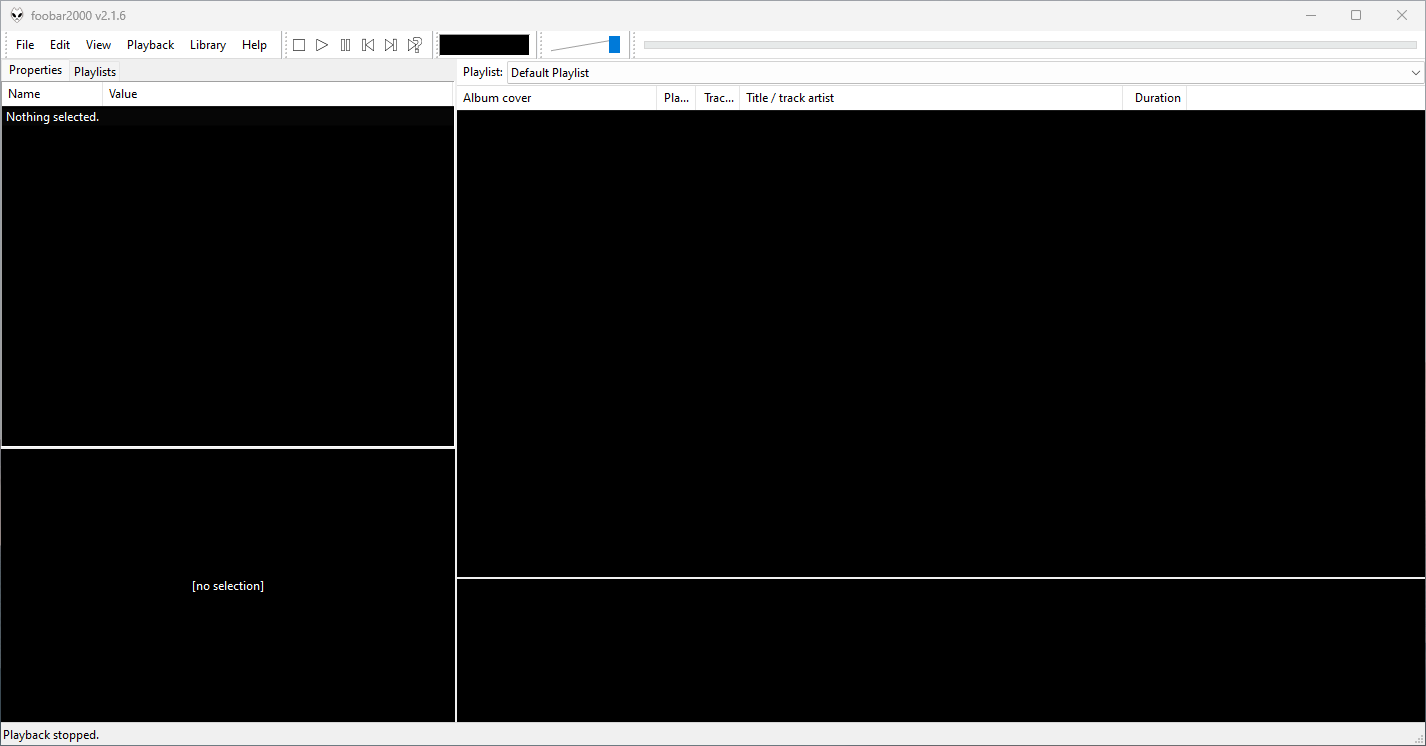
This is the basic Default User interface or DUI. You will need to configure and extend the Foobar2000 interface according to your preferences and requirements.

Foobar2000 v2.16 Default User Interface
  • Supported audio formats: MP3, MP4, AAC, CD Audio, WMA, Vorbis, Opus, FLAC, WavPack, WAV, AIFF, Musepack, Speex, AU, SND… and more with additional components.
  • Gapless playback.
  • Easily customizable user interface.
  • Advanced tagging capabilities.
  • Support for ripping Audio CDs as well as transcoding all supported audio formats using the Converter component.
  • Full ReplayGain support.
  • Customizable keyboard shortcuts.
  • Open component architecture allows third-party developers to extend functionality.
  • Multiplatform: Android, Mac, Windows 32|64-bit and ARM (ARM64EC).

Foobar2000 is not limited to its own default user interface or DUI. The interface is extensible, modular and there are alternatives including a popular interface called Columns User Interface or CUI. CUI is most often used for theming or skinning foobar2000.

www.foobar2000.org
www.foobar2000.org/download
www.foobar2000.org/components
www.foobar2000.org/FAQ
www.foobar2000.org/screenshots
www.foobar2000.org/SDK
mobile.foobar2000.com
wiki.hydrogenaud.io
Version_2.0_Release_Notes

Packages & Store Versions:

apps.apple.com/us/app/foobar2000/id1072807669
play.google.com/store/apps/details?id=com.foobar2000.foobar2000
www.microsoft.com/en-us/p/foobar2000/9pdj8x9spf2k
www.microsoft.com/store/productId/9PDJ8X9SPF2K (foobar2000 classic version 1.6x)
chocolatey.org/packages/foobar2000
aur.archlinux.org/packages/foobar2000/

Foobar Forums At Hydrogenaudio:

References: