foo_dsp_TripleStereo ~ Convert 2 To 3 Channels


This plugin extracts a central component of the stereo signal and sends it to a separate channel. This makes the sound cleaner with wider panorama.

Just connect additional speaker to center channel and enjoy!

hydrogenaud.io/index.php/topic,108038.0
www.foobar2000.org/components/view/foo_dsp_TripleStereo

foo_dop ~ Foobar2000 iPod Manager


iPod manager allows you to transfer music to Apple iPods from foobar2000.

Features include:

  • artwork support
  • ReplayGain to SoundCheck conversion
  • gapless playback support
  • automatic conversion of unsupported audio formats
  • smart playlist creation

yuo.be/ipod-manager
github.com/reupen/ipod_manager
hydrogenaud.io/index.php/topic,45160.0

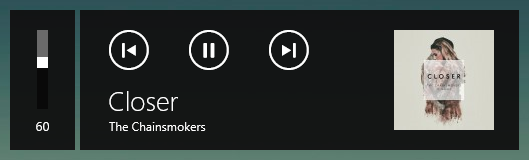
foo_mediacontrol ~ Windows 10 Media Control Overlay


Adds the ability for foobar2000 to interact with the Windows 10 media control overlay.

github.com/Hual/foo_mediacontrol
hydrogenaud.io/index.php?topic=113248.0

dotnet_title_bar ~ Foobar2000 Skinnable Overlay User Interface


This is a component for the foobar2000 audio player, which provides a skinnable overlay UI.

Features:

  • Easily customizable UI.
  • Configurable automatic hiding of the overlay.
  • foo_acfu integration.
  • And more!

theqwertiest.github.io/dotnet_title_bar
hydrogenaud.io/index.php?topic=121673

foo_pggb_rt ~ Foobar2000 Realtime Resampler


foo-RT – A PGGB-RT foobar2000 (Windows) component up samples or down samples your audio tracks in near real-time fashion using insanely long linear filters. We are able to do this by using hardware acceleration PGGB-RT SDK. We say ‘near real-time’ because remastering using insanely long filters require a finite time. Depending on the length of your track and the filter length (in millions of taps) you choose, the very first track will take anywhere from a few seconds to a few ten seconds to start. The subsequent tracks would play in a gap-less fashion

www.remastero.com/foo-pggb-rt-guide
www.foobar2000.org/components/view/foo_pggb_rt

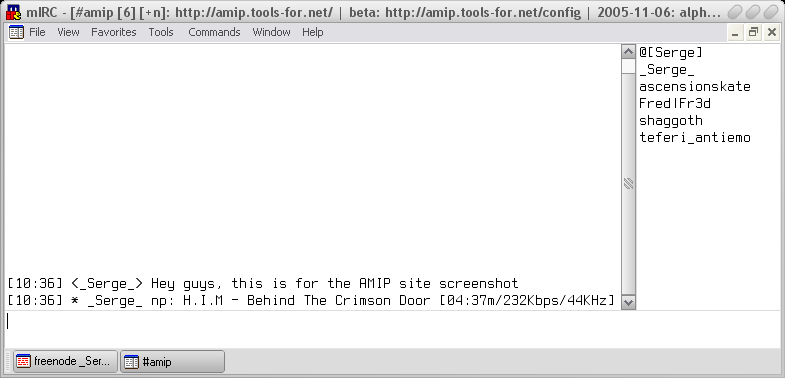
AIMP ~ Instant Message Now Playing Add-On


Add on for many popular players that announces the current playing track on many instant messaging platforms.

amip.tools-for.net/wiki/amip/features

foo_openlyrics ~ Foobar2000 Open Source Lyrics Display


An open-source lyrics plugin for foobar2000 that includes its own UI panel for displaying and sources for downloading lyrics that are not available locally. It is intended to be a replacement for LyricShowPanel3 so it is fully-featured and supports lyric searching, saving and editing directly from within foobar2000.

Features:

  • Buttery-smooth lyric scrolling (either horizontally or vertically)
  • Supports retrieving lyrics from local files, ID3 tags or the internet
  • Customise the font and colours to perfectly suite your layout and theme
  • Easily edit lyrics directly inside foobar2000 with built-in support for timestamps
  • Check the saved lyrics of any track in your library (whether it is currently playing or not)
  • Apply common edits (such as removing blank lines) in just two clicks
  • … and more!

github.com/jacquesh/foo_openlyrics
www.foobar2000.org/components/view/foo_openlyrics
hydrogenaud.io/index.php?topic=120812.0
www.reddit.com/r/foobar2000/…/i_made_an_opensource_alternative_to

Foobar2000 & Twitch ~ Song Request Bot


A Twitch bot that lets people from Twitch chat request songs from your Foobar2000 playlist.

github.com/MichielP1807/FoobarSongrequestTwitchBot

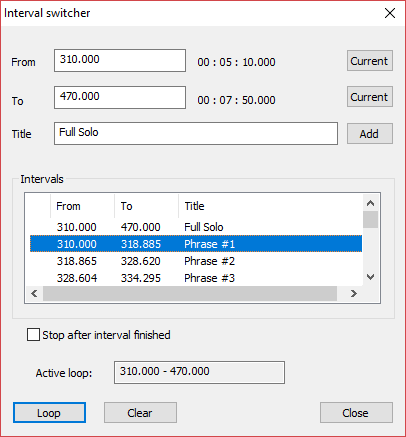
foo_rehearsal ~ Looping & Slicing Component


Foobar2000 plugin for looping track intervals and slicing CUE sheets.

Features:
  • Loop, shuffle or randomize through any subset of user-defined slices of track.
  • Import intervals from a CUE Sheet.
  • Import chapters from a video via JSON. ffprobe -i filename -print_format json -show_chapters -loglevel error > chapters.json
  • Import intervals from YouTube time codes, etc.
  • Copy a piece of text and Ctrl-V to paste to switcher.
  • Export to a CUE Sheet.
  • Keeps all intervals for all tracks in a single .json file.

github.com/ptytb/foo_rehearsal

Foobar2000 ~ Web User Interface


The Foobar2000 Web UI application consists of two parts:

  • A Node.js server that controls foobar2000 music player using native CLI commands and foo_controlserver component (a tcp/ip server for foobar2000).
  • A web application that allows the user to send basic foobar2000 playback commands and adjust application volume level. Information about the track that is currently playing is also displayed and automatically updated when the track or playback status changes.

github.com/klemola/foobar2000-web-ui

Foobar2000 ~ Classic User Interface


The Default User Interface from early foobar2000 versions is back! This component serves no particular useful purpose; it is provided for the nostalgia value only. It is missing various functionality considered to be essential in current foobar2000 series, such as persistently visible volume control. There are no plans to add any new functionality into the Classic User Interface.

Warning: product may contain Finnish profanity.

Changes since the original version:

  • Modified to run side by side with the current Default UI. Please do not remove the Default UI DLL.
  • Fixed the infamous seekbar repaint bug on Windows themes other than “classic”.
  • Replaced popup volume slider with the latest Default UI code.
  • Restored original “Preferences: Title Formatting” page from old foobar2000 versions
  • Various cosmetic changes.

www.foobar2000.org/components/view/foo_ui_classic

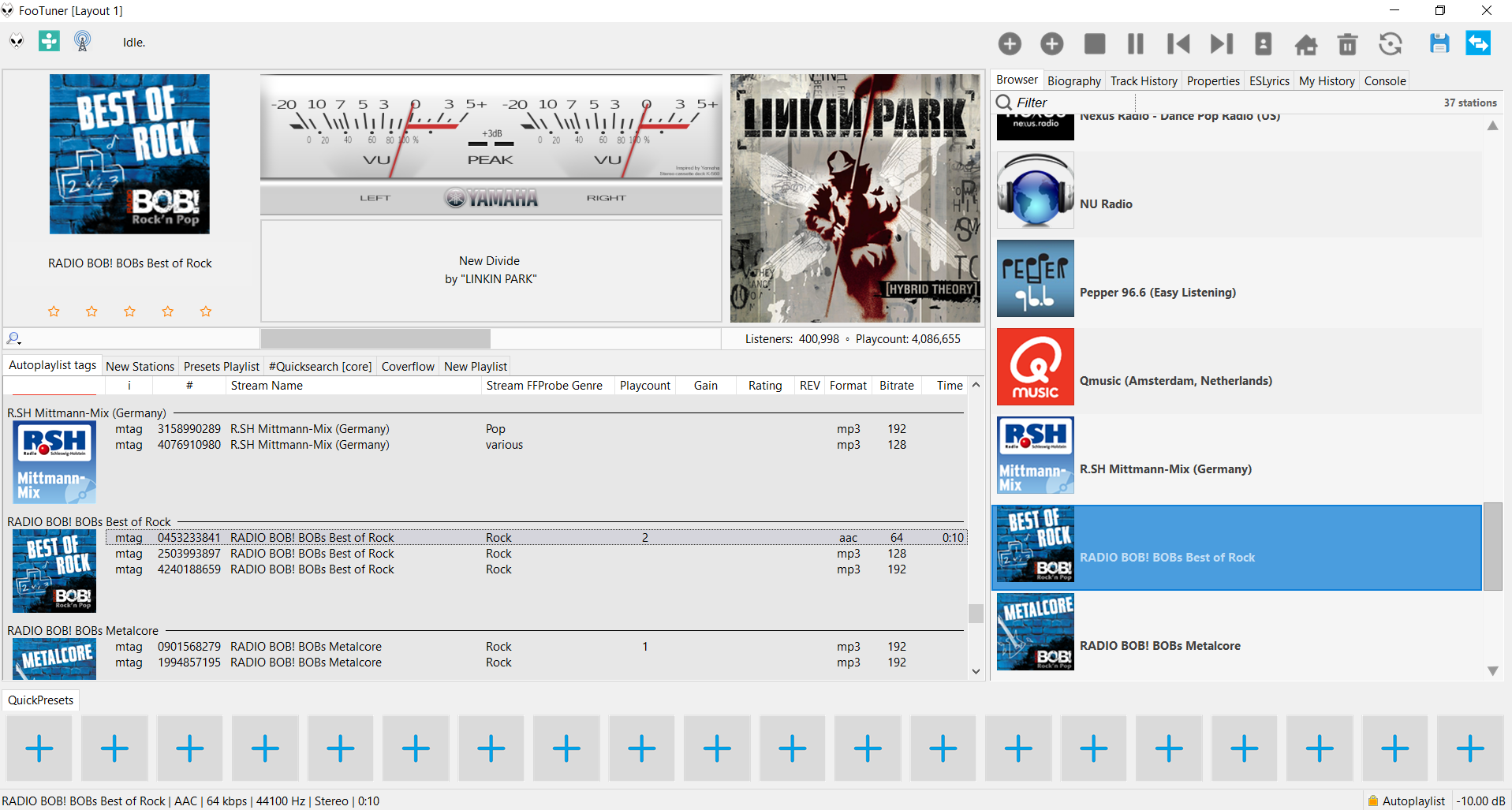
footuner ~ Foobar2000 Stream Theme


A foobar2000 skin / theme designed for internet streams. Search and import streams from tunein.com and Community Radio Browser

footuner

github.com/smoralis/footuner
hydrogenaud.io/index.php?topic=119049.0