foo_truepeak ~ True Peak Scanner


foo_truepeak is a ITU-R BS.1770-5 compliant True Peak scanner. It can also scan ReplayGain, Loudness Range (LRA), Dynamic Range (DR), show the amount of clipping samples and report the position of highest peak.

www.foobar2000.org/components/view/foo_truepeak

For users primarily concerned with playback quality and simplicity, foo_truepeak can replace foobar2000’s ReplayGain and DR scanners. It uses modern loudness standards, detects true peaks and can write all relevant tags in a single pass. While its ReplayGain and DR values may not exactly match legacy scanners, they are more appropriate for real-world playback on modern systems.

1. Download and install foo_truepeak

  1. Download foo_truepeak.fb2k-component from the official component page.
  2. In foobar2000, open File → Preferences → Components.
  3. Click Install…, select the foo_truepeak.fb2k-component file.
  4. Restart foobar2000 when prompted.

2. Disabling legacy scanners (optional but recommended)

To avoid confusion or duplicate workflows:

  1. Don’t try removing the ReplayGain scanner as it’s built in.
  2. You can uninstall foo_dr_meter and or foo_dynamic_meter.

This keeps foo_truepeak as your single analysis tool.

3. Open foo_truepeak preferences

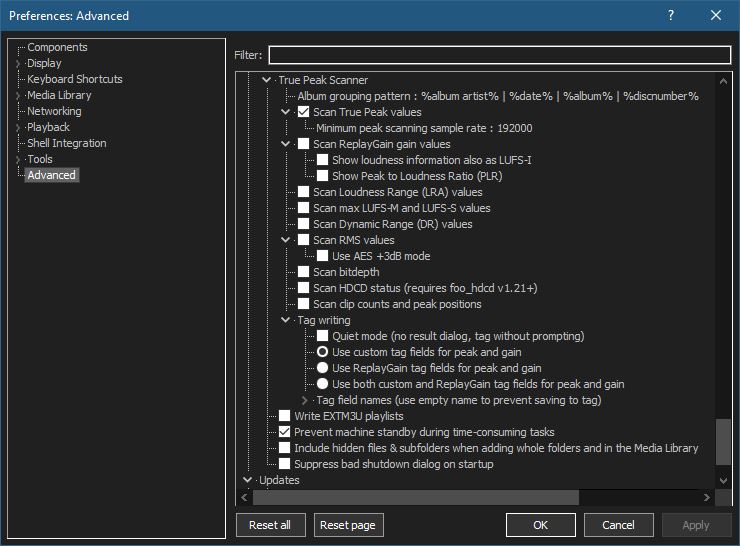
Go to File → Preferences → Advanced Tools → True Peak Scanner

4. Ensure the following is enabled

Scan True Peak Values

True peak scanning accounts for inter-sample peaks created during digital-to-analog conversion, ensuring that peak levels reflect what a real DAC actually outputs, not just what is stored in the file.

5. Enable ReplayGain scanning

Scan ReplayGain values

Notes:
  • Gains are derived from EBU R128 loudness, but written as ReplayGain tags.
  • Peaks are true peaks, not simple sample peaks.
  • Playback normalization works normally in foobar2000.

6. Enable Dynamic Range scanning

Scan Dynamic Range (DR) values

Notes:

  • These values are analytical, not official TT DR Meter values.
  • They are suitable for comparison within your library, not for DR Database submissions.

7. Choose tag writing behavior

Use ReplayGain tag fields for peak and gain

8. Run a True Peak scan

  1. Select a track, tracks or albums in a playlist.
  2. Right-click → True Peak Scan.

You can also create custom buttons on the toolbar for Album or Track scans.

Download True Peak Toolbar Button Icons

9. Verify tags at first

After scanning, check the file(s) to ensure tagging happened correctly:

  • Open Properties > ReplayGain
  • Confirm presence of values for:
    • Track Gain
    • Album Gain
    • Total Peak
    • Lowest gain (loudest track)
    • Highest gain (quietist track)

10. Use ReplayGain during playback

  1. Enable ReplayGain in Preferences → Playback → ReplayGain.
  2. Choose your preferred mode, Track or Album.

foobar2000 will now use modern loudness analysis and playback without intersample clipping.

Summary:

  • One scan
  • One pass
  • Peak safe playback
  • Modern loudness normalization

This setup is ideal for users who prioritize listening quality and ease of use over legacy metric compatibility.

References:

www.foobar2000.org/components/view/foo_truepeak
foobar.hyv.fi/?view=foo_truepeak
wiki.hydrogenaudio.org/Foobar2000:Components/True_Peak_Scanner
hydrogenaudio.org/index.php/topic,125719.0
en.wikipedia.org/wiki/Amplitude
en.wikipedia.org/wiki/Audio_normalization
en.wikipedia.org/wiki/Dynamic_range
en.wikipedia.org/wiki/ReplayGain

Alternative DSP
www.foobar2000.org/components/view/foo_dsp_replaygain

foo_audio_wizard ~ Full-track Analysis & Real-time Monitoring


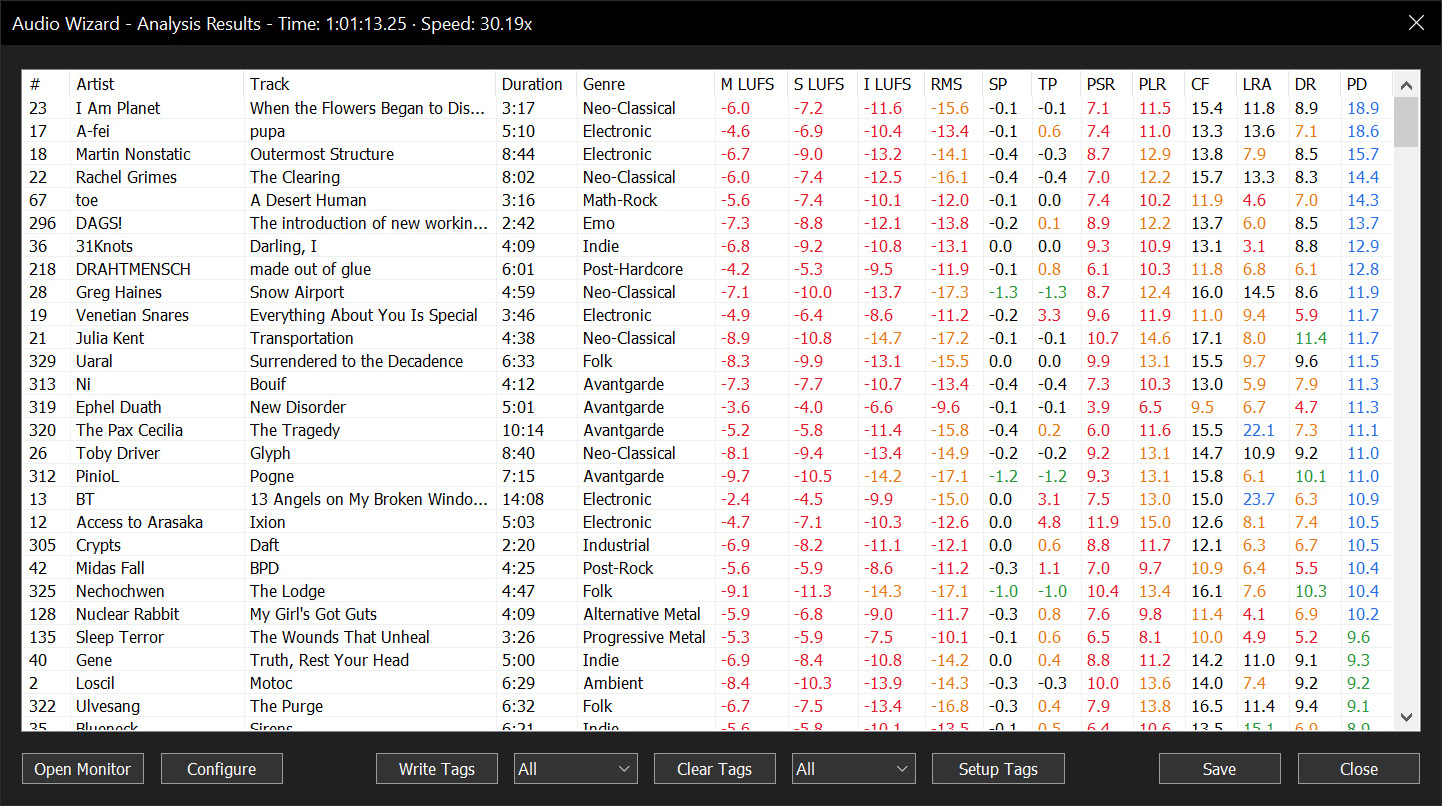
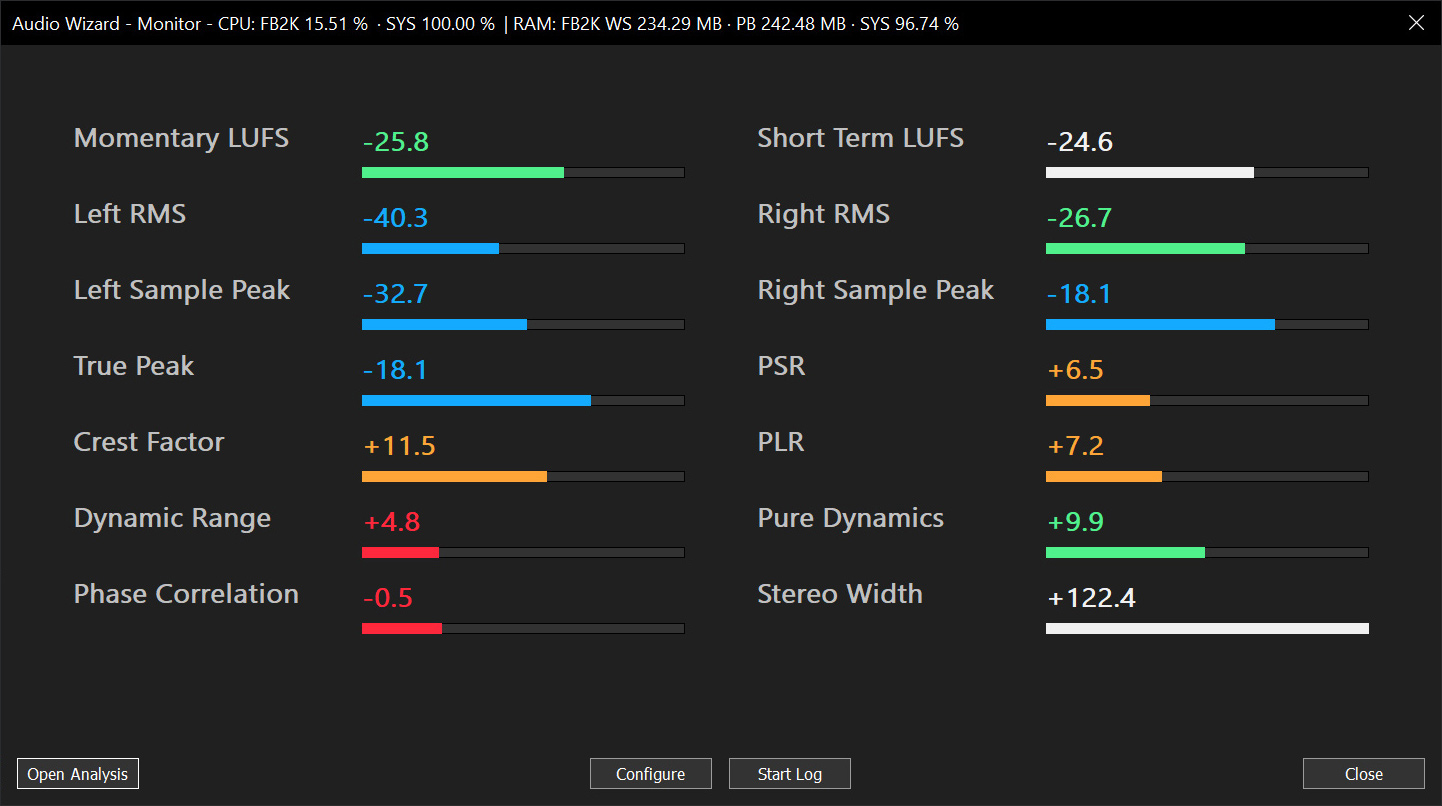
Audio Wizard (foo_audio_wizard) is a fiery chapter of The Wizardium, granting foobar2000 audiophiles and engineers tools for full-track analysis and real-time monitoring. Harness Pure Dynamics for psychoacoustic clarity.

github.com/The-Wizardium/Audio-Wizard

foo_dr_meter ~ Foobar2000 Dynamic Range Meter


A simple Dynamic Range meter based on DR estimation formula published by https://dr.loudness-war.info/. For foobar2000 version 1.5 and newer.

foobar.hyv.fi/?view=foo_dr_meter

Accessible Peak Meter ~ Realtime Sonification


Accessible Peak Meter uses real-time sonification to deliver information to the user about audio levels and peaks in audio signals, and so supports core activities in audio production. Accessible Peak Meter 3 is an extended development of Accessible Peak Meter. It adds more meter modes (RMS, EBU, VU/PPM, Truepeak, Dialnorm and Dynamic Range).

Accessible Peak Meter was developed in 2014/2015 at Queen Mary University of London as part of the Design Patterns for Inclusive Collaboration research project ( depic.eecs.qmul.ac.uk ).

More information about Accessible Peak Meter can be found at depic.eecs.qmul.ac.uk/apm

USAGE
The plug-in comes with the following tweakable parameters:

  1. Sonification Type: to switch between continuous mode , clipping mode and clip tone mode. “Clip tone” sonficates as soon level is above threshold .
  2. Dry: controls the level of the input audio, namely the audio content you want to analyze;
  3. Wet: controls the level of the sonification;
  4. Tone: controls height of the sonification tone in clip tone mode;
  5. Threshold: sets the threshold for the clipping mode, it has no effect on the continous mode
  6. Decay: this only affects the continuous mode sonification. The value ranges from 1 second down to 0.05 seconds. This is the time the meter would take to decay from 0 db to -inf after an impulse. These numbers don’t give a real feeling of how the sonification will sound – it is easier to think that when set to 0.05 the sonification will stop pretty immediately when you stop the audio; whereas if the value is set to 1, it will take longer to decay. In general, though, the latter sounds cleaner and normally the audio level doesn’t go all the way down to silence, as during the decay it encounters other peaks that bring it back up. So it’s up to you to find the right trade off.
  7. DAW sync: if set to “on”, meter reset is synced with DAW start playing. Only applicable for program loudness modes like RMS/EBU/DialNorm IL and PLR
  8. Meter Mode: sets the meter modes. Please to note that all meter modes are calibrated to 0 dBFS, 0 dBTP, 0 LUFS, 0LKFS, 0 VUFS and 0 PPMFS
    1. Peak: same as AccessiblePeakMeter, dBFS
    2. TruePeak: based on ITU BS1770.4, dBTP  
    3. VU: peak meter, 300ms integration time, VUFS
    4. PPM: peak meter, target, PPMFS
    5. RMS: 600ms integration time, AES-17, dBFS 
    6. EBU: EBU R128, target level -23 LUFS, LUFS
    7. DialNorm: gated, target level -24 LKFS, LKFS
    8. DR: PLR/PSR, dB

The AccessiblePeakMeter3 provides access to the parameters by exposing them to inspectors – such as ReaAccess plug-in or the Cakewalk Sonar inspector – in a clear and well formatted way.

www.tbproaudio.de/products/accessiblemeters

CUE Corrector ~ Cue Sheet Editor


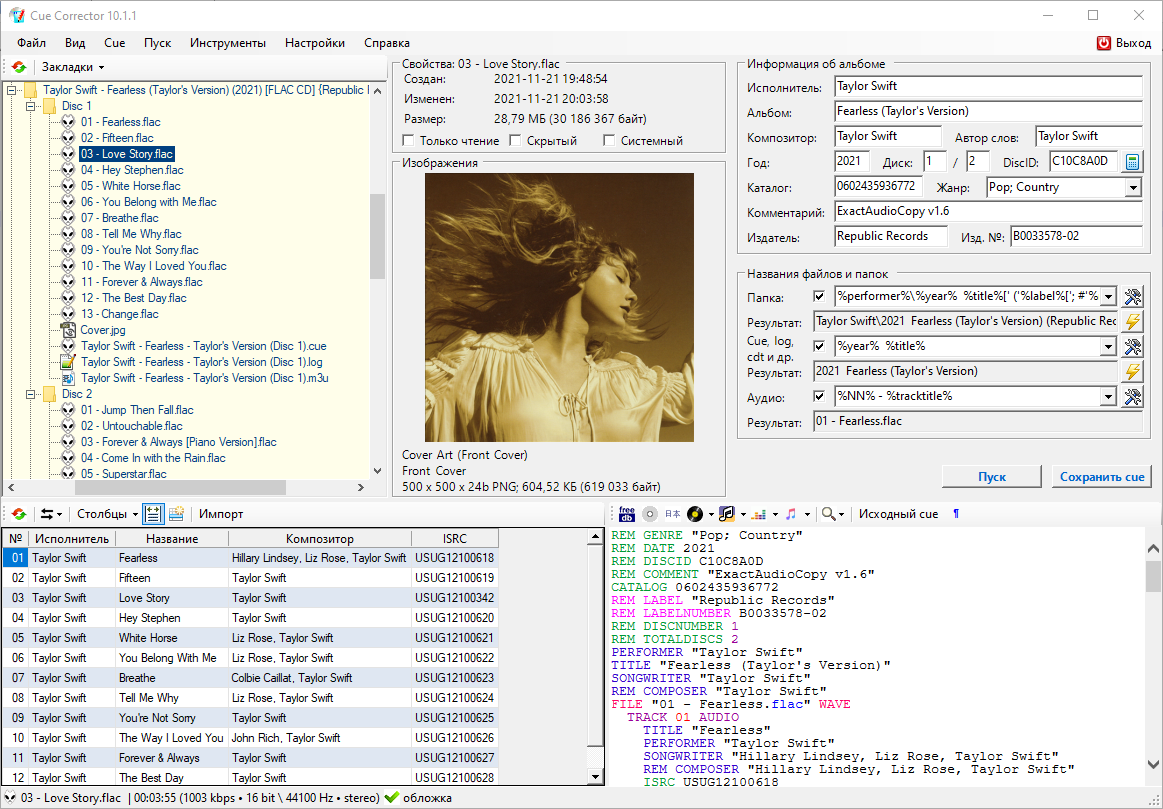
CUE Corrector is a multifunctional program for working with index cards, which has a wide range of possibilities for reading, creating and editing them. The program is capable of performing many operations that arise during the use of index cards, from a simple replacement of an audio file extension in it to a complete change of its content, without making any changes to the index markup.

The program also has a large number of tools that allow you to edit the index maps in a set of associated files and folders, thus treating it as part of the “index map, extract report, audio files and covers” complex. The algorithms implemented for this make it possible to extremely simplify and automate many operations to bring the complex to the desired user form, convenient for storing and organizing – creating collections.

cuecorrector.ucoz.net
hydrogenaud.io/index.php?topic=112882.0

DR14 T.meter ~ Linux Dynamic Range Meter


DR14 T.meter is a free and open source command line tool for computing the Dynamic Range of your music according to the procedure used in the off-line meter released by the Pleasurize Music Foundation.

This tool is a very useful measure of how loud your music is, and for understanding that a good quality album always has a wide dynamic range, and it’s also useful for understanding the effects of the so called ‘loudness war’.

Dr14 t.meter is released under the terms of the GNU GPLv3 license and is intended for the Linux users who can not use the Windows application released by the Pleasurize Music Foundation, or the plugin for Foobar2000.

I’ve largely tested this application and it has always returned results identical to those of the official off-line meter.

Feature:
  • Compute the DR dynamic range of the audio file

sourceforge.net/projects/dr14tmeter

RoughRider 3 ~ Dynamics Compressor VST


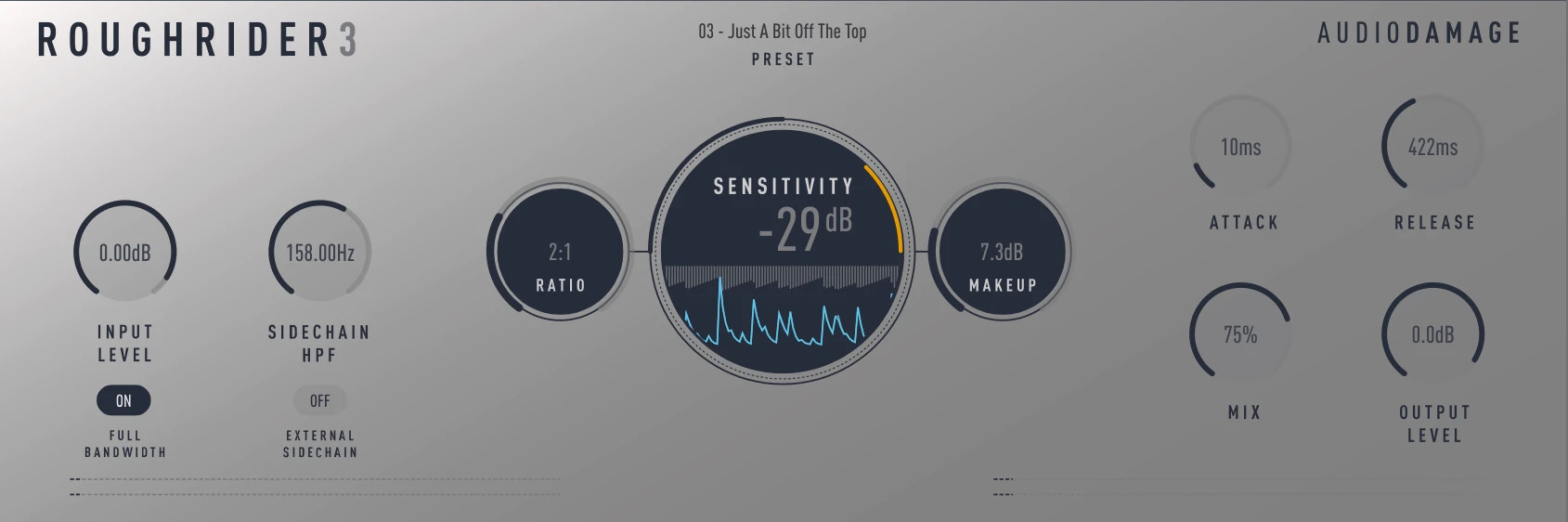
Our RoughRider compressor is one of the most popular dynamics processors on the planet, with well over a half a million downloads over its decade-plus lifespan, and is in heavy daily use by producers the world over. With RoughRider 3, we’ve expanded the original to include an external sidechain input, the ability to turn off the built-in “warming” filter (the FULL BANDWIDTH button), and much more accurate metering.

www.audiodamage.com/pages/free-downloads

TT Dynamic Range Meter ~ Determining Dynamic Range


TT Dynamic Range Meter makes it possible to provide releases with a whole-number dynamic value to be printed on the recording medium as a logo, giving consumers an immediate means of knowing the dynamic quality of a recording. ~ web.archive.org/web/20090422090108/http://www.pleasurizemusic.com/en/download

dr.loudness-war.info
en.wikipedia.org/wiki/Loudness_war
dynamicrangeday.co.uk

foo_dynamic_range ~ Foobar & Dynamic Range Meter


Dynamic Range Meter is a foobar2000 component designed to give the same information as the Dynamic Range Offline Meter. This component can process all audio formats foobar2000 can handle (a.o. flac, ape and wavpack) and also supports higher sample rates and bit depth. Using the Open Audio CD option it can also directly read audio CDs and calculate the Dynamic Range values without the need of ripping the CD to disk. Log information with extended statistics is automatically copied to the clipboard and can be pasted back in any text editor. ~ web.archive.org/web/20130317013715/http://pleasurizemusic.com/free-downloads

Dynamic Range Meter is a foobar2000 component designed to give the same information as the Dynamic Range Offline Meter from the Pleasurize Music Foundation. I wrote this component because the original Dynamic Range Meter is limited to reading only wav, aiff and mp3 files. This component can process all audio formats foobar2000 can handle (a.o. flac, ape and wavpack) and also supports higher sample rates and bit depth. Using the Open Audio CD option it can also directly read audio CDs and calculate the Dynamic Range values without the need of ripping the CD to disk. As an option, a log file with information and extended statistics can be saved to disk. ~ web.archive.org/web/20130428024316/http://www.jokhan.demon.nl/DynamicRange

This version is for foobar2000 version 1.4 or older and is depreciated.

Adding Dynamic Range:

  1. Install the foo_dynamic_range component
  2. Navigate to File > Preferences > Advanced > Tools > Dynamic Range Meter
  3. Enable “Write DR meta data tags
  4. Add a new toolbar button and assign Context>Dynamic Range Meter
  5. Download DR toolbar icon and change button icon
  6. Navigate to File > Preferences > Display > Default User Interface > Playlist View
  7. Add a new custom column, name it “DR” and assign this pattern, “[%DYNAMIC RANGE%]
  8. Select an album and click the new DR toolbar icon to scan the files

Download ~ drive.google.com/file/d/1rQHOYrzEmV6MSKEj-hENM09C2yQsCFfh/view
Database ~ dr.loudness-war.info
Discussion ~ hydrogenaud.io/index.php/topic,88373.0
DRM Icon ~ drive.google.com/file/d/1x4AjjKEHTH9BZWTHb-5PQoNKOboXJJcq
Reference ~ www.metal-fi.com/measuring-dynamic-range
foo_dr_meter (64bit) ~ foobar.hyv.fi/?view=foo_dr_meter

Dynamic Range Database ~ Compare Album Loudness


An online database of contributions of dynamic range measurements searchable by Artist / Album:
dr.loudness-war.info/

Meters:

An (optimized) implementation of the music DR measurement (compliant with http://dr.loudness-war.info/), it supports CUE sheets and is faster than all currently available alternatives

~ github.com/magicgoose/simple_dr_meter
~ Foobar2000 component