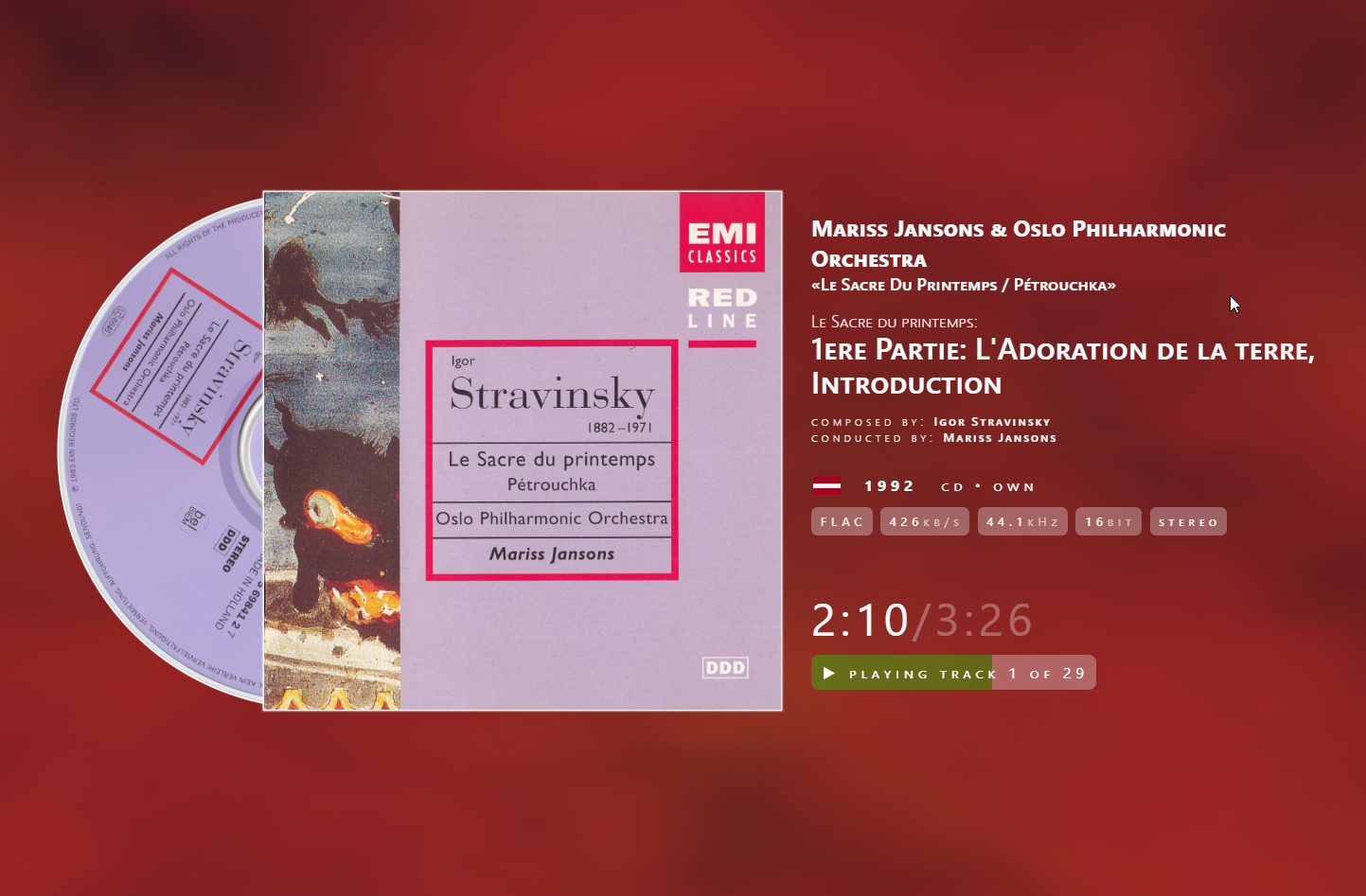
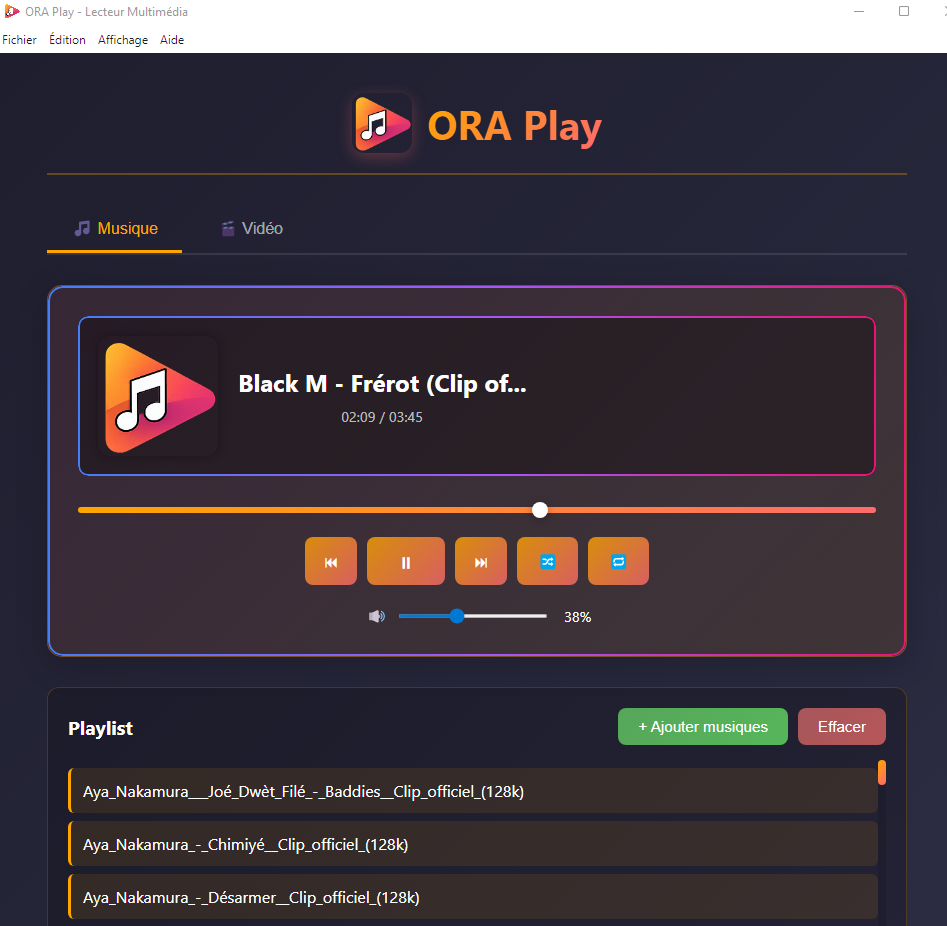
ORA Play is a modern audio player designed to offer a simple, fast, and enjoyable experience.
Features:
– Playback of local audio files – Drag & Drop – Play/Pause controls – Track navigation – Playlist management – Built-in Mini Player – Modern and intuitive interface
. Developed with Electron, JavaScript, HTML, and CSS.
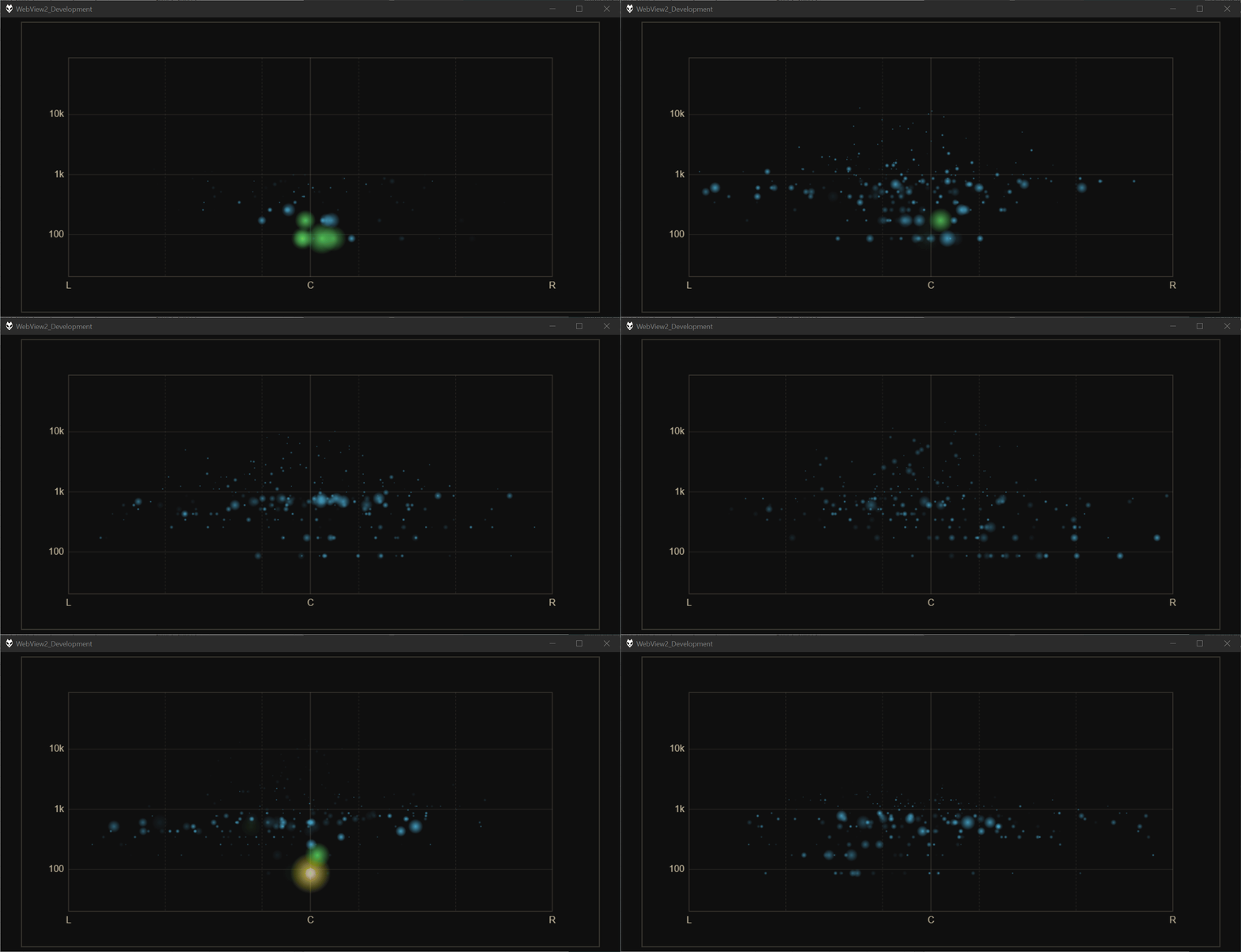
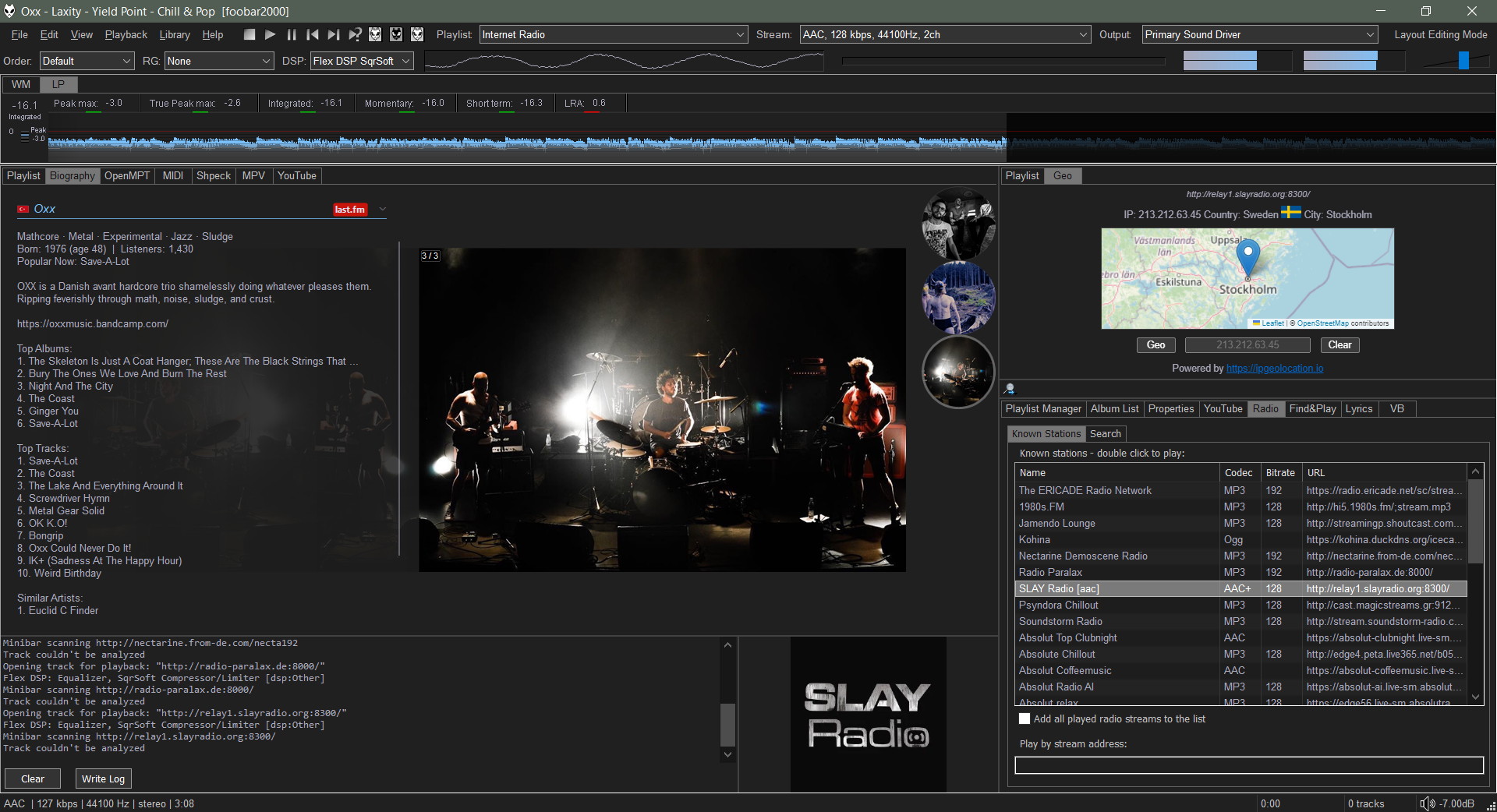
JSplitter (component name: foo_uie_jsplitter) is a JavaScript-based user interface component for foobar2000 that allows users to create highly customized panels, layouts, browsers, playlists, artwork displays, VU meters, and other interface elements using JavaScript. It originated as a successor to older scripting components such as Panel Stack Splitter and has become popular among theme developers.
What JSplitter provides:
JavaScript scripting for custom UI panels
Dynamic layouts and splitters
Custom playlist viewers
Album art browsers
Biography and review panels
VU meters and visualizations
Integration with foobar2000 playlists, library, playback state, and metadata
Support for importing complex themes and panel collections developed by other users
It takes an HTML file that receives playback notifications from foobar2000. The panel can react to those notifications and adjust its output using JavaScript code.
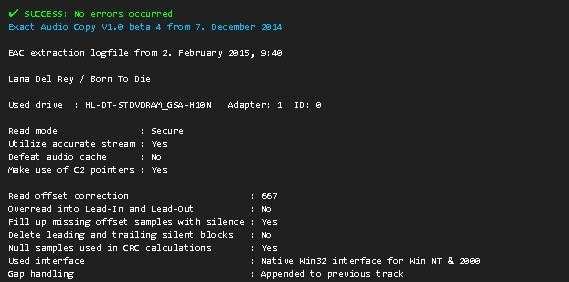
The SMP EAC Log Viewer is a Spider Monkey Panel (SMP) script for Foobar2000 designed to display Exact Audio Copy (EAC) log files in a DUI panel. It preserves the alignment of log columns, color-codes the conclusion lines for quick success/error identification, and prepends a summary line so it scrolls with the rest of the log.
Features:
DUI panel
Monospace font: Preserves column alignment in all EAC logs.
Color-coded conclusions:
Green = successful rip
Red = errors found
Summary line: Displays overall pass/fail and scrolls with the log.
Automatic log detection: Checks multiple common naming conventions:
Copy the script Copy and paste the eac_log_viewer_panel.js script into your preferred scripts folder. Typical choices:
C:\Users\<YourName>\Documents\Foobar\scripts
Or any folder you already use for SMP scripts.
Add a Spider Monkey Panel
Open Foobar2000 and switch to your DUI layout.
Right-click → Add New UI Element → Spider Monkey Panel
Open the Edit Panel Script… pane and paste the contents of eac_log_viewer_panel.js. or point to the script’s location in Panel Properties… → Script File → File.
Adjust panel settings
Set the font to match your DUI theme (monospace).
Resize the panel to comfortably display the full log width.
Usage:
The panel automatically updates when:
You play a new track.
You change focus in the playlist.
Scroll through the log using your mouse wheel.
The summary line shows the overall rip status and scrolls with the text.
Color-coded lines highlight conclusions: green for success, red for errors.
Notes:
The script is optimized for one log per album, but will attempt all three naming conventions for flexibility.
Unusually named logs may require manual renaming in order to conform or add an input condition to the script.
DUI theming preserves font and panel appearance but maintains column alignment.
License
This project is licensed under the MIT License. See the included LICENSE file or the GitHub repository for details.
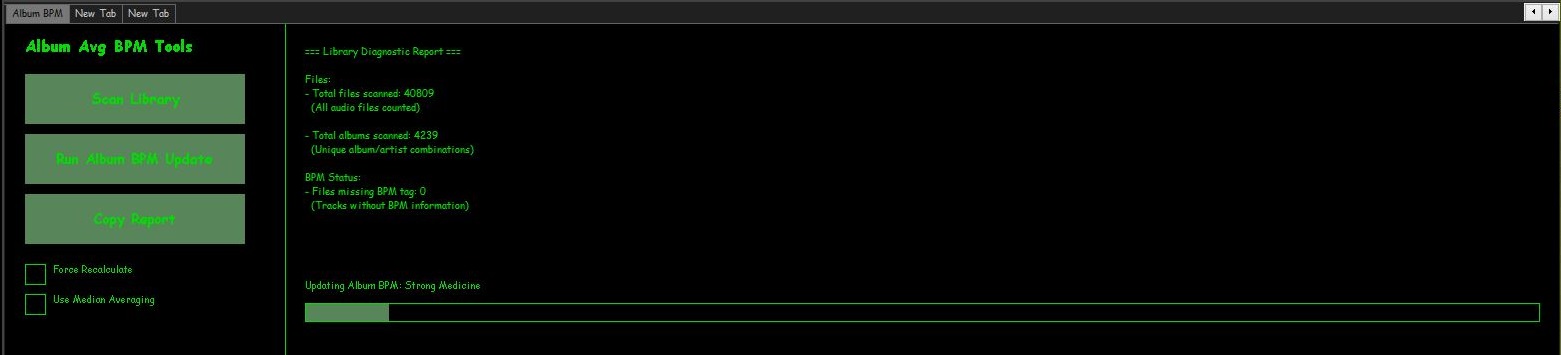
Beats Per minute is great for playlist of songs sorted by BPM but it would be useful to sort albums by BPM as well. To do this the following script calculates an average of BPM information from each song of the album and write that value to ALBUM_AVG_BPM. Then just create a playlist sorted by artist then album_avg_bpm
SMP Album Average BPM Calculator Script
In the DUI, toggle layout and create a new panel or tab, then right click the new area and add a New UI Element, scroll down to the Utility section and select Spider Monkey Panel and click OK. Now right click the new Spider Monkey Panel and select Edit Panel Script. Select the entire contents on the new ‘Temporary File’ window and replace them with the following script.
Show full script
'use strict';

/*
====================================================
Album Average BPM Panel - FULL PRO v5
- Immediate feedback for buttons
- Status line in report section
- Progress bars appear immediately
- Logs skipped files
- Inconsistent albums listed
====================================================
*/

function RGB(r,g,b){ return (0xff000000 | (r<<16) | (g<<8) | b); }

////////////////////////////////////////////////////
// TitleFormats
////////////////////////////////////////////////////
const tf_album = fb.TitleFormat("%album%");
const tf_albumArtist = fb.TitleFormat("%album artist%");
const tf_artist = fb.TitleFormat("%artist%");
const tf_bpm = fb.TitleFormat("%bpm%");
const tf_existing = fb.TitleFormat("%album_avg_bpm%");

////////////////////////////////////////////////////
// UI Colours + Font
////////////////////////////////////////////////////
function getUIColours(){
    try{
        return { bg: window.GetColourDUI(1), text: window.GetColourDUI(0), accent: window.GetColourDUI(2) };
    }catch(e){
        return { bg: RGB(30,30,30), text: RGB(255,255,255), accent: RGB(0,200,0) };
    }
}

function getUIFont(){ try{ return window.GetFontDUI(0); } catch(e){ return gdi.Font("Segoe UI",13,0); } }

////////////////////////////////////////////////////
// Library cache
////////////////////////////////////////////////////
let libHandles = null;
function loadLibraryOnce(){ if(!libHandles) libHandles = fb.GetLibraryItems(); }

////////////////////////////////////////////////////
// State
////////////////////////////////////////////////////
let runningUpdate=false;
let reporting=false;
let updateIndex=0, updateTimer=0;
let reportIndex=0, reportTimer=0;
let currentAlbum="Idle", currentFile="";
let updates=0;

let totalFiles=0, totalAlbums={};
let missingBPM=0, zeroBPM=0, missingAlbumAvg=0;
let minBPM=999999, maxBPM=0;
let albumConsistency={}, inconsistentAlbums=0;
let skippedFiles=[];

let forceRecalc=false, useMedian=false;

////////////////////////////////////////////////////
// Layout
////////////////////////////////////////////////////
const LEFT_WIDTH = 280;
const buttonScan={x:20,y:50,w:220,h:50};
const buttonUpdate={x:20,y:110,w:220,h:50};
const buttonCopy={x:20,y:170,w:220,h:50};
const checkboxForce={x:20,y:240,size:20};
const checkboxMedian={x:20,y:270,size:20};

////////////////////////////////////////////////////
// Album BPM Update Logic
////////////////////////////////////////////////////
let albumsMap=[];

function buildAlbums(){
    loadLibraryOnce();
    albumsMap = [];
    let map={};

    for(let i=0;i400) continue; // Filter extreme BPMs

        let groupingArtist = albumArtist ? albumArtist : artist;
        let key = groupingArtist+"|||"+album;

        if(!map[key]){
            map[key]={ handles:new FbMetadbHandleList(), sum:0, count:0, hasExisting:true, existingValues:{} };
        }

        map[key].handles.Add(h);
        map[key].sum += bpm;
        map[key].count++;

        let albumAvg = tf_existing.EvalWithMetadb(h);
        if(albumAvg) map[key].existingValues[albumAvg]=true;

        if(!albumAvg) map[key].hasExisting=false;
    }

    albumsMap = Object.values(map);
}

function stopUpdateTimer(){ if(updateTimer){ window.ClearInterval(updateTimer); updateTimer=0; } }

function processUpdateNext(){
    if(!runningUpdate) return;

    if(updateIndex>=albumsMap.length){
        runningUpdate=false;
        stopUpdateTimer();
        currentAlbum="Finished";
        fb.ShowPopupMessage("Album BPM Update Finished. Updated Albums: "+updates);
        window.Repaint();
        return;
    }

    let data = albumsMap[updateIndex++];
    currentAlbum = tf_album.EvalWithMetadb(data.handles[0]);

    // Determine if update needed
    let inconsistent = Object.keys(data.existingValues).length > 1;
    if(!forceRecalc && !inconsistent) return;

    let avg=0;
    if(useMedian){
        let arr=[];
        for(let i=0;i<data.handles.Count;i++){
            let val=parseFloat(tf_bpm.EvalWithMetadb(data.handles[i]));
            if(!isNaN(val) && vala-b);
        let mid=Math.floor(arr.length/2);
        avg = arr.length%2===0 ? (arr[mid-1]+arr[mid])/2 : arr[mid];
    }else{
        avg = data.sum / data.count;
    }
    avg = avg.toFixed(2);

    let json=[];
    for(let i=0;i<data.handles.Count;i++){
        try{
            json.push({"ALBUM_AVG_BPM":avg});
        }catch(e){
            skippedFiles.push(data.handles[i].Path);
        }
    }

    try{
        data.handles.UpdateFileInfoFromJSON(JSON.stringify(json));
        updates++;
    }catch(e){
        for(let i=0;i0){
        currentAlbum = tf_album.EvalWithMetadb(albumsMap[0].handles[0]);
    }

    window.Repaint();
    updateTimer = window.SetInterval(processUpdateNext,100);
}

////////////////////////////////////////////////////
// Report Logic
////////////////////////////////////////////////////
let reportText="Press Scan Library.";

function stopReportTimer(){ if(reportTimer){ window.ClearInterval(reportTimer); reportTimer=0; } }

function processReportNext(){
    if(!reporting) return;
    let batch=500;

    for(let c=0;c<batch && reportIndex0){
                if(bpmmaxBPM) maxBPM=bpm;
            }
        }
        if(!albumAvg) missingAlbumAvg++;

        if(!albumConsistency[key]) albumConsistency[key]={};
        if(albumAvg) albumConsistency[key][albumAvg]=true;

        currentFile = groupingArtist+" - "+album;
    }

    if(reportIndex>=libHandles.Count){
        reporting=false;
        stopReportTimer();

        inconsistentAlbums=0;
        let inconsistentList=[];
        for(let k in albumConsistency){
            let vals=Object.keys(albumConsistency[k]);
            if(vals.length>1){
                inconsistentAlbums++;
                if(inconsistentList.length0?inconsistentList.join("\n"):"None"}

Skipped / Inaccessible Files:
${skippedFiles.length>0?skippedFiles.join("\n"):"None"}

Current Status: Idle

BPM Range:
- Lowest BPM found: ${minBPM===999999?"N/A":minBPM}
- Highest BPM found: ${maxBPM}`;
    }

    window.Repaint();
}

function startReport(){
    if(reporting) return;
    loadLibraryOnce();
    reportIndex=0;
    totalFiles=0; totalAlbums={};
    missingBPM=0; zeroBPM=0; missingAlbumAvg=0;
    minBPM=999999; maxBPM=0; albumConsistency={};
    skippedFiles=[];

    reporting=true;
    reportText="Scanning library...";

    // show first file immediately
    if(libHandles.Count>0){
        currentFile = tf_album.EvalWithMetadb(libHandles[0]) || "(No Album)";
    }

    window.Repaint();
    reportTimer = window.SetInterval(processReportNext,10);
}

////////////////////////////////////////////////////
// Drawing
////////////////////////////////////////////////////
function drawButton(gr,b,label,ui,font){
    gr.FillSolidRect(b.x,b.y,b.w,b.h,ui.accent);
    gr.DrawString(label,gdi.Font(font.Name,14,1),ui.text,b.x,b.y,b.w,b.h,0x11000000);
}

function drawCheckbox(gr,c,label,state,ui,font){
    gr.DrawRect(c.x,c.y,c.size,c.size,1,ui.text);
    if(state) gr.FillSolidRect(c.x+4,c.y+4,c.size-8,c.size-8,ui.accent);
    gr.DrawString(label,font,ui.text,c.x+28,c.y-2,300,24,0);
}

function on_paint(gr){
    let ui=getUIColours();
    let font=getUIFont();
    let titleFont=gdi.Font(font.Name,16,1);

    gr.FillSolidRect(0,0,window.Width,window.Height,ui.bg);

    // LEFT PANEL
    gr.DrawString("Album Avg BPM Tools",titleFont,ui.text,20,10,LEFT_WIDTH,30,0);
    drawButton(gr,buttonScan,"Scan Library",ui,font);
    drawButton(gr,buttonUpdate,"Run Album BPM Update",ui,font);
    drawButton(gr,buttonCopy,"Copy Report",ui,font);
    drawCheckbox(gr,checkboxForce,"Force Recalculate",forceRecalc,ui,font);
    drawCheckbox(gr,checkboxMedian,"Use Median Averaging",useMedian,ui,font);

    gr.DrawLine(LEFT_WIDTH,0,LEFT_WIDTH,window.Height,1,ui.text);

    // RIGHT PANEL - report text
    let statusText = reporting ? "Scanning: "+currentFile : runningUpdate ? "Updating Album BPM: "+currentAlbum : "Idle";
    let reportWithStatus = reportText.replace("Current Status: Idle","Current Status: "+statusText);

    gr.GdiDrawText(reportWithStatus,font,ui.text,
        LEFT_WIDTH+20,20,
        window.Width-(LEFT_WIDTH+40),
        window.Height-160,0); // leave 160px for progress bars

    // Progress bars
    const barHeight = 18;
    const margin = 8;
    const barYUpdate = window.Height - 2*barHeight - 2*margin;
    const barYScan   = window.Height - barHeight - margin;

    if(runningUpdate){
        let prog=Math.floor((updateIndex/albumsMap.length)*(window.Width-LEFT_WIDTH-40));
        gr.FillSolidRect(LEFT_WIDTH+20,barYUpdate,prog,barHeight,ui.accent);
        gr.DrawRect(LEFT_WIDTH+20,barYUpdate,window.Width-LEFT_WIDTH-40,barHeight,1,ui.text);
        gr.DrawString("Updating Album BPM: "+currentAlbum,font,ui.text,LEFT_WIDTH+20,barYUpdate-25,window.Width-LEFT_WIDTH-40,20,0);
    }

    if(reporting){
        let prog=Math.floor((reportIndex/libHandles.Count)*(window.Width-LEFT_WIDTH-40));
        gr.FillSolidRect(LEFT_WIDTH+20,barYScan,prog,barHeight,ui.accent);
        gr.DrawRect(LEFT_WIDTH+20,barYScan,window.Width-LEFT_WIDTH-40,barHeight,1,ui.text);
        gr.DrawString("Scanning: "+currentFile,font,ui.text,LEFT_WIDTH+20,barYScan-25,window.Width-LEFT_WIDTH-40,20,0);
    }
}

////////////////////////////////////////////////////
// Mouse
////////////////////////////////////////////////////
function on_mouse_lbtn_up(x,y){
    if(hit(buttonScan,x,y)) {
        startReport();
        reportText = "Scanning library...";
        currentFile = libHandles.Count>0 ? tf_album.EvalWithMetadb(libHandles[0]) || "(No Album)" : "Idle";
        window.Repaint();
    }
    if(hit(buttonUpdate,x,y)) {
        startUpdate();
        currentAlbum = albumsMap.length>0 ? tf_album.EvalWithMetadb(albumsMap[0].handles[0]) : "Preparing update...";
        window.Repaint();
    }
    if(hit(buttonCopy,x,y) && reportText){
        utils.SetClipboardText(reportText);
        fb.ShowPopupMessage("Report copied to clipboard.");
    }

    if(hitSquare(checkboxForce,x,y)){ forceRecalc=!forceRecalc; window.Repaint(); }
    if(hitSquare(checkboxMedian,x,y)){ useMedian=!useMedian; window.Repaint(); }
}

function hit(b,x,y){ return x>=b.x && x=b.y && y=c.x && x=c.y && y<=c.y+c.size; }
Discord has many unwanted rate limits, especially in the audio area. This package does all the work and ensures that your music never stops playing due to ffmpeg or Discord, with as little effort as possible.
A web-synthesizer that generates sound from the binary code of any files. It can synthesize sound directly in the browser, or be a generator of MIDI messages to external devices or DAWs, turning any file into a score. All the application code is written in Javascript and along with everything you need is packed into a single .html file of about 750kb. The synthesizer doesn’t need internet, it can be downloaded and run locally on any device with a browser.
The application reads the file sequentially, and due to the high speed of reading and random deviation of reading duration, we can get quite unpredictable generation of timbre nuances, and at certain settings we can switch to granular synthesis.
Save settings on a per panel basis. These persist between restarts and are stored inside the layout configuration file for whichever UI your are using. You can also write your own functions to load/save settings from JSON or plain text files.
Built in support for making GET / POST requests which return plain text and there is also a method for downloading binary files. If you prefer, you can use the Microsoft.XMLHTTPActiveX object.
There are many built in methods for working with the local filesystem, launching external applications etc. Previous versions / other scripting components rely on ActiveX objects but the need for those is greatly reduced.
This was a customisable panel for the foobar2000 audio player. It was based on WSH Panel Mod and was its successor. It is no longer maintained and has been superseded.
All scripts were written in Javascript but the component provided means to do the following:
Custom drawing of text, images, lines, rectangles, etc.
Executing main/context menu commands.
Ability to create custom buttons/menus.
Callbacks can be used to trigger code based on foobar2000 events . See callbacks.txt.