
Read a DLNA Media Server to select music to play on your DLNA Renderer
Scan the network for your Media Server (“Server”) and Renderer (“Renderer”) devices, select one of each and then from the main screen select the music you want to play, drilling into Albums, Artists, Genres (all defined by your Media Server). Any music you want to hear is called a track and is loaded onto the play queue. Then select Play button to listen to the track listed at the top of the queue. You can also create playlists and store your favorite tracks for playback.
Features:
- DLNA
- Media Server
- Media Renderer
- Play queue
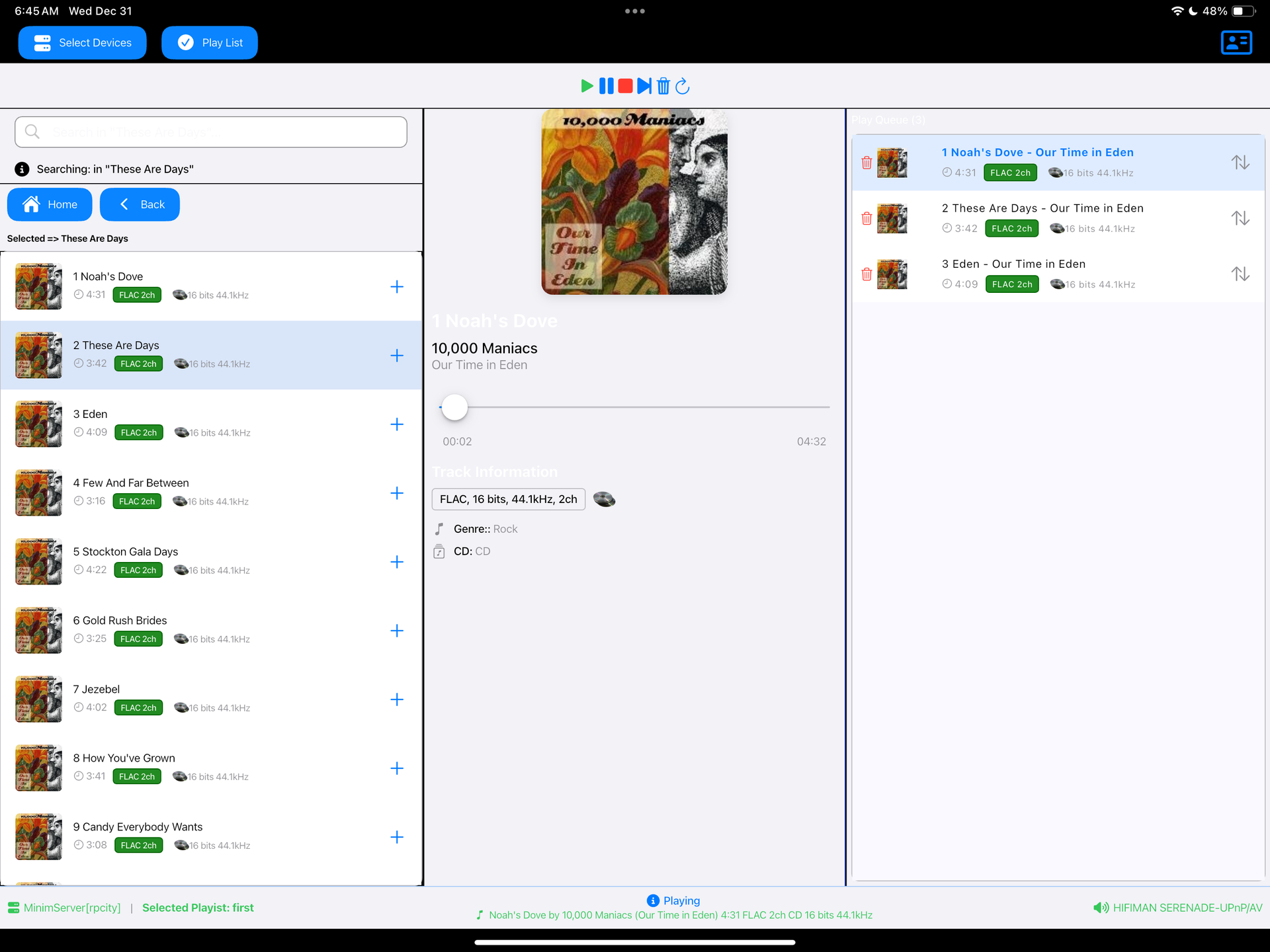
sourceforge.net/projects/dlna-music-controller
Resources:
en.wikipedia.org/wiki/List_of_UPnP_AV_media_servers_and_clients

 The Audio File