
foo_bpm – A Foobar component for automatically analyzing the number of beats per minute in audio files.
Installing and using foo_bpm:
First download and install foo_bpm.fb2k-component.
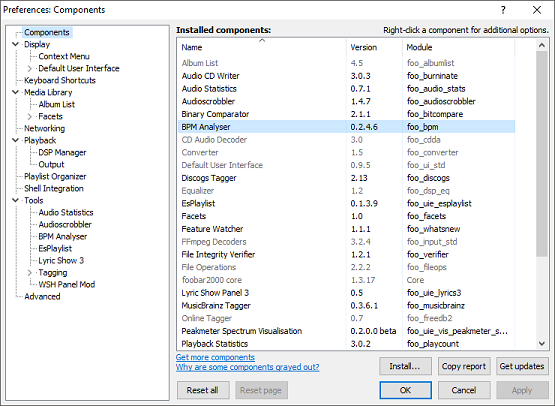
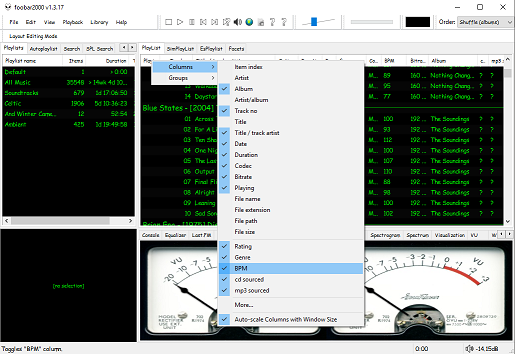
The second step is adding a new BPM playlist column to the DUI playlist viewer:
The third step, add an Analyze BPM toolbar button:
- Right click on the metronome icon ico file shown below and download / save it locally
- Right click the Foobar toolbar
- Select the Customize button
- Select from Available Commands [context] > BPM Analyzer > Automatically analyze BPMs
- Click Add
- Click
Change Iconand select the downloaded metronome.ico file - Click
OK


The fourth step is to select and scan files:
Once the toolbar button is installed, songs can be selected then scanned. The songs will now be tagged with the %bpm% tag and can be selected or sorted by beats per minute as displayed in the playlist column.
The fifth step is to update your entire library:
Open Library > Search and insert the query %bpm% MISSING then click … and then click Create Autoplaylist. Rename the new autoplaylist located at the bottom of the playlist switcher Missing BPM. Activate the playlist, select the entire contents, automatically analyze them and then apply the changes.
Video: www.youtube.com/watch?v=Pg_wJH6TjcY
References:
www.foobar2000.org/components/view/foo_bpm
hydrogenaud.io/index.php/topic,77142.0
Updated Configuration
github.com/stengerh/foo_bpm
foobar.hyv.fi/?view=foo_bpm (latest version)

 The Audio File