
ARveris a command-line program for verifying audio tracks ripped from a CD against checksums stored in AccurateRip database.The idea behind AccurateRip verification is that it’s virtually impossible to get exact same errors when ripping different copies of the same CD on various CD drives. If the copies are scratched or otherwise degraded, read errors will occur in different disc sectors. CD drive defects are unlikely to manifest in the same way on different machines. Essentially, all read errors are expected to be unique, but in absence of errors only a single correct result exists.
AccurateRip database stores track checksums submitted by multiple users. When many users rip the same disc without errors, same checksums are submitted to the database repeatably, boosting their “confidence” statistic. If a checksum of a ripped track is not found in the database, it indicates that the track has not been ripped correctly. Since the result is unique, disc read errors likely occurred while ripping.
github.com/arcctgx/ARver
ARvercalculates the AccurateRip checksums of local files, fetches checksums for a given CD from the database, and displays a report which compares them.
Tag Archives: Ripping

Streamripper ~ Record Shoutcast-compatible Streams
Streamripper was started sometime back in early 2000. Streamripper started as a way to separate tracks via Shoutcast’s title-streaming feature. This has now been expanded into a much more generic feature, where part of the program only tries to “hint” at where one track starts and another ends, thus allowing a mp3 decoding engine to scan for a silent mark, which is used to find an exact track separation.
Streamripper is now part of the FreeBSD standard distribution, mentioned in the Linux MP3 HOWTO, known to compile on many platforms such as Linux, Windows, FreeBSD, BeOS, OS/2. This is not surprising as portability was a constant consideration during development.
With the emergence of file sharing protocols such as Napster, Gnutella, and now Mojonation and Freenet, the average Internet user can download nearly any mp3 he wants in a matter of no time, but many times people don’t know what they want. Streamripper allows you to download an entire station of music. Many of these mp3 radio stations only play certain genres, so you can now download an entire collection of goa/trance music, an entire collection of jazz, punk rock, whatever you want.
streamripper.sourceforge.net
sourceforge.net/projects/streamripper
Share this:

CDex ~ Digital Audio CD Extractor
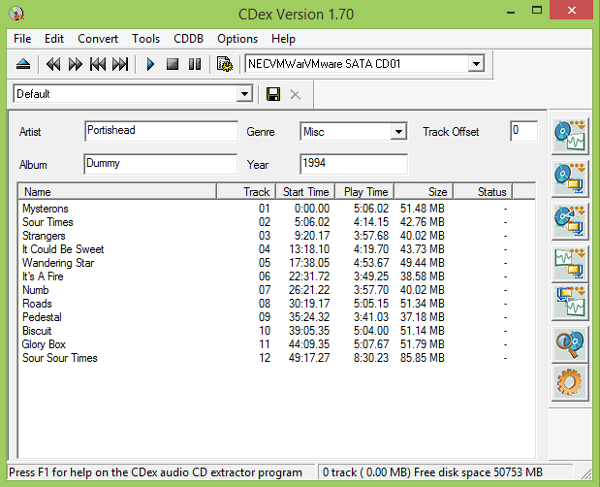
CDex can extract the data directly (digital) from an Audio CD, which is generally called a CD Ripper or a CDDA utility. The resulting audio file can be a plain WAV file (useful for making compilation audio CDs) or the ripped audio data can be compressed using an audio encoder such as MP3, FLAC, AAC, WMA or OGG. Many other encoders are supported.
Share this:

GramoFile ~ Open Source Vinyl Ripping
GramoFile is a computer program, running under the Linux operating system (and some other UNIX-like OSes — and even DOS / Windows now!), with the main goal of putting the sound of for example gramophone records on CDs. It is able to record hours of CD quality music, split long sound files in separate tracks, and remove ticks and pops from recordings.
www.opensourcepartners.nl/~costar/gramofile
Share this:

Album Art Downloader ~ Obtain Album Artwork
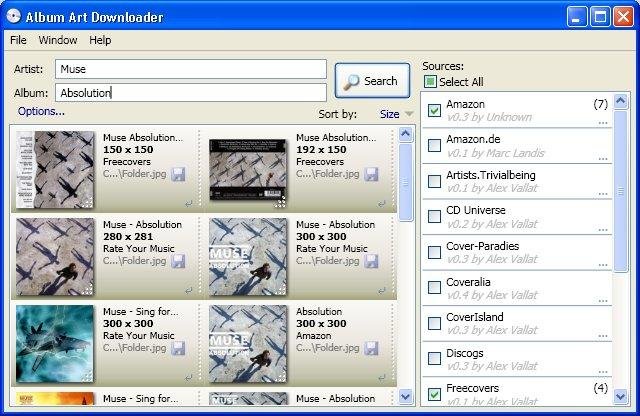
The Album Art Downloader is a program designed to make life easier for anyone who wishes to find and update their album art for their music collection. The sources for the pictures can be defined by creating plugin scripts.
sourceforge.net/projects/album-art
sourceforge.net/p/album-art/discussion
HydrogenAudio Topic
Share this:

Elpetozede ~ Split An Album Into Tracks
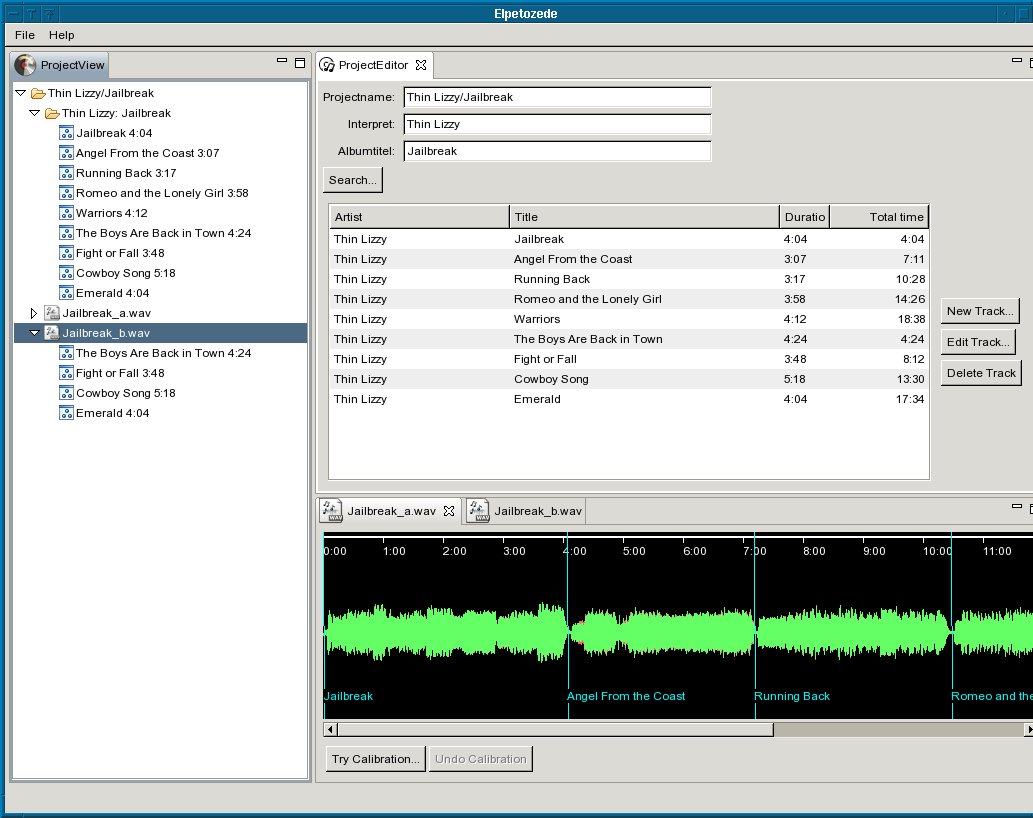
Elpetozede is a multi-platform, open source tool to split a wave file (.wav), which contains the complete audio recording of one side of a vinyl record or a cassette tape into single wav files, one for each track. It searches an Internet database (musicbrainz.org) for the album data, so, with a little luck, you won’t need to type all the track information by hand.
Share this:

EAC & CTDB ~ Verify Your Rips
This plugin verifies your rips against CTDB database, and submits new CDs to it.
It can also serve as a metadata plugin, providing access to MusicBrainz, Discogs and FreeDB metadata via CTDB. CTDB replicates Musicbrainz database hourly, Discogs and FreeDB – monthly. In addition to direct discid search, it supports the same fuzzy search algorithm as Musicbrainz, and also uses it for Discogs and FreeDB data, increasing the chance that correct metadata will be found.

cue.tools/wiki/CTDB_EAC_Plugin
db.cue.tools/ui/ (Database Interface)
Share this:

Restoration ~ The Gnome Wave Cleaner Project
Digital audio restoration of CD quality audio wave files. Dehiss, declick and decrackle in a GUI environment.
The goals are simple — denoise, dehiss and amplify audio files. With the use of libsndfile, you can now do this on a multitude of audio formats, wav, au, aiff, …
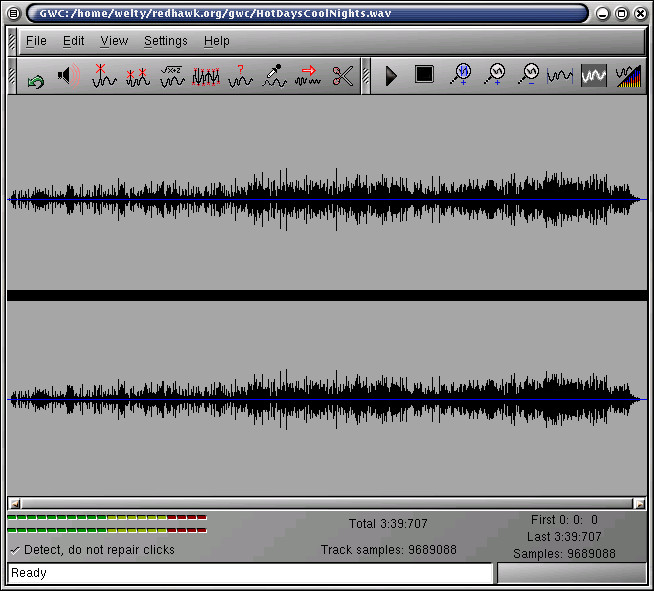
Clean up your needle drops!
gwc.sourceforge.net
sourceforge.net/projects/gwc
en.wikipedia.org/wiki/Gnome_Wave_Cleaner
Share this:

CUETools ~ CUE File Utility & Transcoder
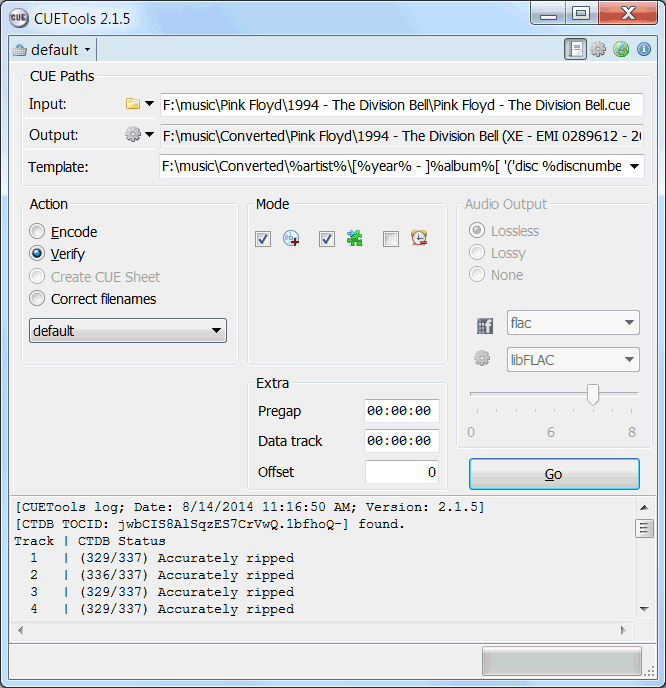
CUETools is a tool for lossless audio/CUE sheet format conversion. The goal is to make sure the entire album image is preserved accurately. A lossless disc image must be lossless not only in preserving contents of the audio tracks, but also in preserving gaps and CUE sheet contents. Many applications lose vital information upon conversion, and don’t support all possible CUE sheet styles. For example, foobar2000 loses disc pre-gap information when converting an album image, and doesn’t support gaps appended (noncompliant) CUE sheets.
cue.tools/wiki/Main_Page
cue.tools/wiki/CUETools
cue.tools/wiki/CUETools_Download
cue.tools/wiki/Category:CUETools_Guides
hydrogenaud.io/index.php?board=74.0
Share this:

Foobar2000 ~ Playing CDs With Pre-emphasis
Pre-emphasis & CDs
Although rarely used, there exists the capability for standardized emphasis in Red Book CD mastering. As CDs were intended to work on 14-bit audio, a specification for ‘pre-emphasis’ was included to compensate for quantization noise. After production spec was set at 16 bits, quantization noise became less of a concern, but emphasis remained an option through standards revisions. The pre-emphasis is described as a first-order filter with a gain of 10 dB (at 20 dB/decade) and time constants 50 μs and 15 μs ~ http://en.wikipedia.org/wiki/Emphasis_(telecommunications)#Red_Book_Audio
Emphasis came about because of early converter design. The entire sampling process was new, and A to D converters exhibited low level noise because of bad linearity in the conversion process. This process added some high frequency broadband noise to the digital signal. Manufacturers overcame this byproduct by boosting (emphasis) the high frequencies during the conversion from analog to digital, and then rolling off (de-emphasis) the high frequencies by the same amount after the conversion back from digital to analog. This process was optional and there was a switch to select emphasis on each track during record. A flag was set in the digital bit-stream, which automatically activated de-emphasis during playback. All CD players, DVD players, and DAT machines detect this flag and turn on a high frequency roll-off in the analog domain during playback. If the digital signal contains emphasis and the flag is missing or turned off, then the roll-off does not occur and the audio will be brighter than normal.
This emphasis feature was the biggest reason why different CD players sounded different when playing back the same CD, or DAT machines differed playing back the same DAT tape. The digital part and the conversion to analog were basically the same in all of the machines. The de-emphasis circuit was implemented in the analog domain using the least expensive circuit to perform the operation. There was high-end EQ on the output of every digital playback device, and there was no standard or calibration for how it was performed. If you played back a CD without emphasis, then all of the CD players sounded pretty much the same. If you played a CD with emphasis, then each playback device sounded very different from every other player.
Producers and engineers started turning off the emphasis switches. Converters were getting better so there was less converter noise, and the use of de-emphasis circuits was eliminated. ~ Roger Nicolls
As I understand it, the Redbook CD standard calls for decoding of pre-emphasis flags. So any player bearing the CD format logo should handle pre-emphasis discs properly. ~ http://forums.stevehoffman.tv/threads/whats-pre-emphasis.49396/#post-971902
Working with CDs with pre-emphasis
Foobar plugins to de-emphasis pre-emphasized CDs:
- Postprocessing (foo_deemph): works only with lossless sources; always active during playback and ReplayGain scan.
- * DSP plugin (foo_dsp_deemph): works with any source
Download ~ http://wiki.hydrogenaud.io/index.php?title=Pre-emphasis
Use post-processing if you want to add correct ReplayGain tags to your files.
Use DSP if you have lossy files that you want to de-emphasize.
Otherwise, there’s no difference. ~ http://hydrogenaud.io/index.php/topic,99394.50.html
Lists of CD’s with pre-emphasis:
http://www.studio-nibble.com/cd/index.php?title=Pre-emphasis_(release_list)
http://www.discogs.com/lists/CDs-with-pre-emphasis-my-collection-only/243100
http://www.discogs.com/lists/CDs-suspected-to-have-pre-emphasis/308012
Share this:

gnudb.org ~ CD Metadata Database
An opensource alternative CDDB / FreeDB service.
gnudb.org ~ a new home for the freedb database
How to use gnudb.org:
- Configure your CDDB or freedb-aware software to point to gnudb.gnudb.org as your CDDB / freedb-server.
All official gnudb servers are running cddbp at port 8880 and http at port 80
The path for http-access is
/~cddb/cddb.cgiAccess a xmcd file directly when you know the genre and discid at:
http://www.gnudb.org/gnudb/genre/discidExample ~
http://www.gnudb.org/gnudb/rock/390f1215
Source: gnudb.org CD database
Search By Artist, Album or Artist And Album:
Share this:

EAC ~ Archiving CDs Losslessly
Exact Audio Copy, also known as EAC is often used to create an exact copy of a CD which can be stored in a digital media archive or audio library. The goal is to preserve all information from a CD, such that the CD can be recreated from an archive and / or is playable from an audio library. With EAC, the original audio files and a .cue file, an exact copy can be reburnt back onto a CDR; and with FLAC files, a compressed lossless music library may be built. Creating an individual folder which contains the album’s compressed audio files and a cue file is done via the following method:
- Open EAC and select the FLAC encoder
- Insert the CD you wish to archive
- If using the freedb or CTDB plugins, select the correct cover art
- You may also add lyrics to each track at this point
- Verify that the downloaded information is complete and correct
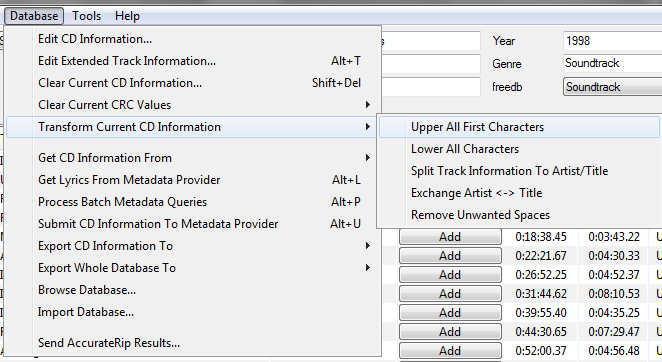
- Convert all CD information to title case
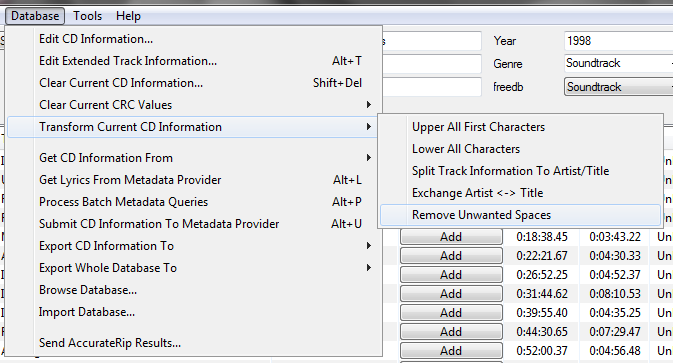
- Remove any extra spaces
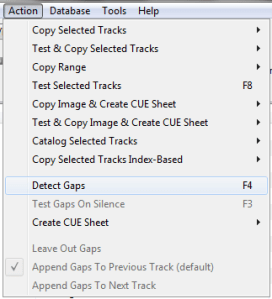
- Detect the CD’s gaps
- Create the cue sheet and album folders
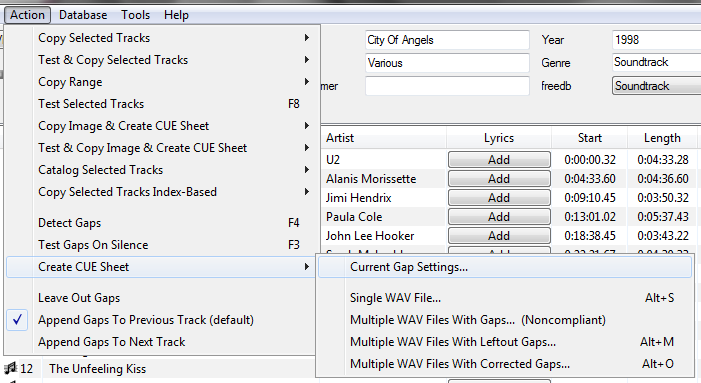
- Rip the CD in Burst Mode, which creates the individual audio files
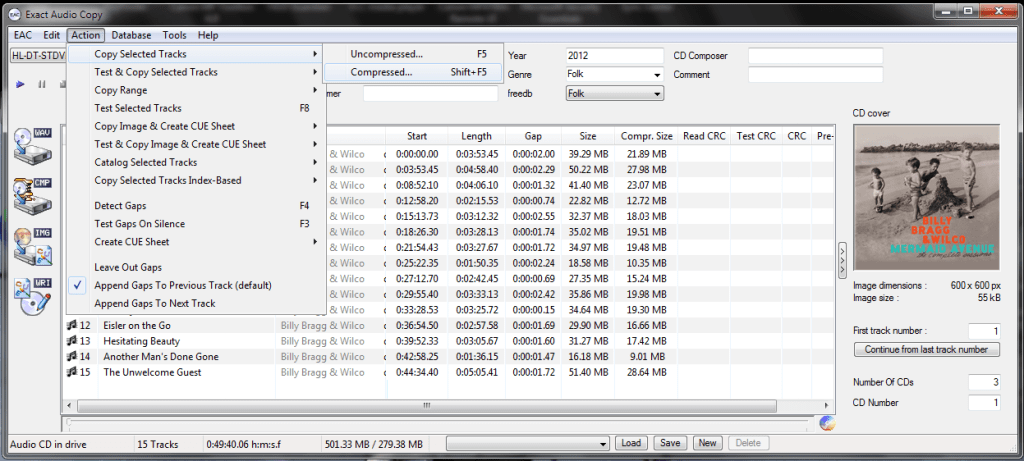
- Switch to Secure Mode and re-rip tracks any tracks that did not rip accurately
This process also creates an EAC log file in the same folder.
Determining Which EAC Gap Detection Method To Use:
hydrogenaud.io/index.php/topic,115657.msg954261.html#msg954261
Sources:
wiki.hydrogenaud.io/index.php?title=EAC_Lossless_Backup
wiki.hydrogenaud.io/index.php?title=EAC_Configuration_Wizard
dbpoweramp.com/spoons-audio-guide-cd-ripping.htm

 The Audio File