
Foobar2000 displays artwork in a panel which can be added and configured to suit your preferences. The artwork panel displays the image file associated with an audio track. If the standard options are insufficient, Foobar’s image handling can be extended via additional components.
To add an artwork panel to the default user interface (DUI), Enable Layout Editing Mode from the menu View > Layout. Add the Album Art Viewer from the Selection Information section.

Album Art Viewer (built-in)
Sources:
- Embedded tags (front, back, disc, artist, etc.)
- External image files (folder.jpg, cover.png, etc.)
Notes:
- Supports multiple artwork types.
- Very stable, but basic (no advanced layout or scripting).
- Artist art is only shown if tagged or present as files.
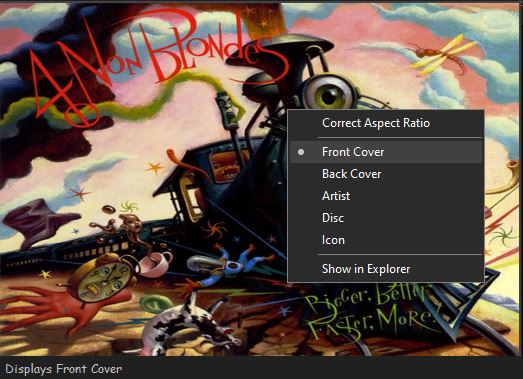
Context Menu
Display Components (Artwork panels)
foo_ui_columns (Columns UI)
Displays: Album & artist art
Sources: Embedded tags and external files
Notes:
- Legacy but still widely used.
- Artwork panels are static (no scripting).
- No longer actively developed, but stable.
Resources:
- Album Art Downloader ~ External artwork search
- foo_albumart_grid ~ Display artwork as a grid
- foo_artwork ~ Advanced artwork display component
- foo_chronflow ~ Cover flow viewer
- foo_discogs ~ Downloads album art
- foo_stnaa ~ Search for artwork or lack of artwork (experimental)

 The Audio File