
Adding a configurable Cover Flow display to Foobar2000. (Media Library Viewer)
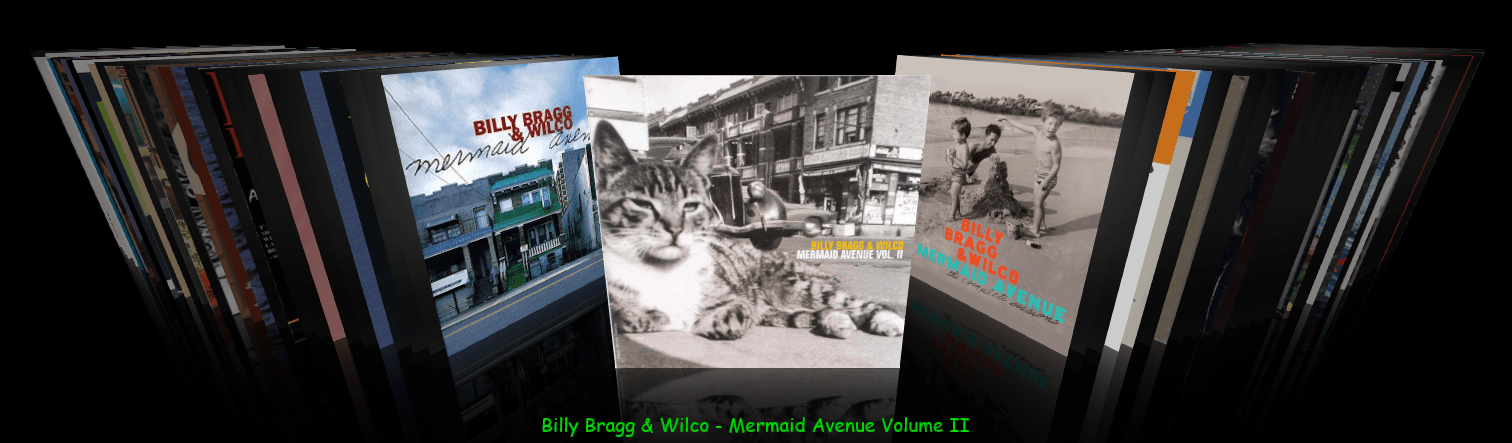
- Download and install foo_chronflow.
- Enable Layout Editing Mode and add a new panel or tab to the DUI.
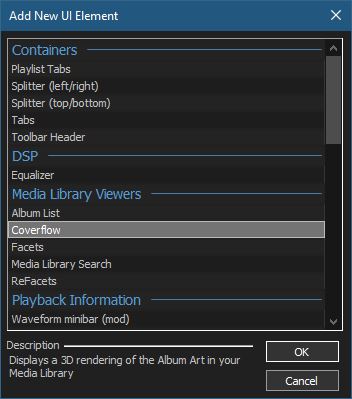
- Right click within the new area and select Add New UI Element
- Select Coverflow from the Media Library Viewers list
- Disable Layout Editing Mode
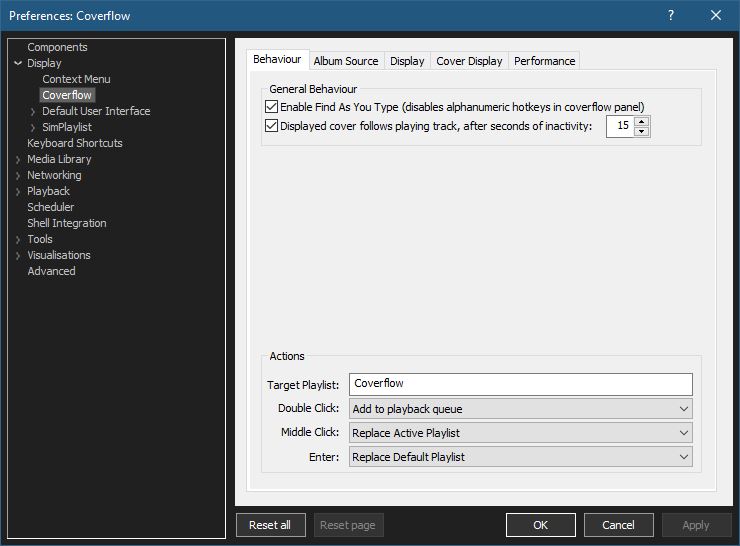
Coverflow Preferences:
Coverflow Preferences – Album Source:
- If covers aren’t being displayed, you can click Reload Sources
- Group By: & Sort By: work as headers do in a playlist
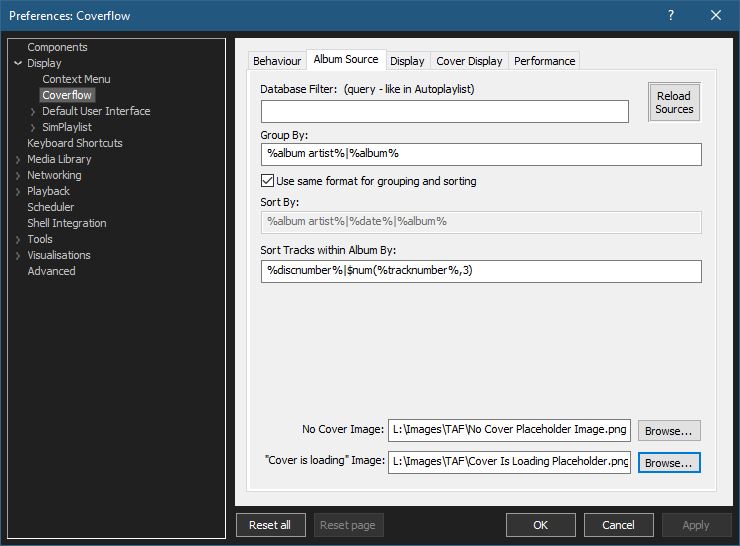
- Select placeholder images:
You can use your own images or click the ones below and save them to your computer.


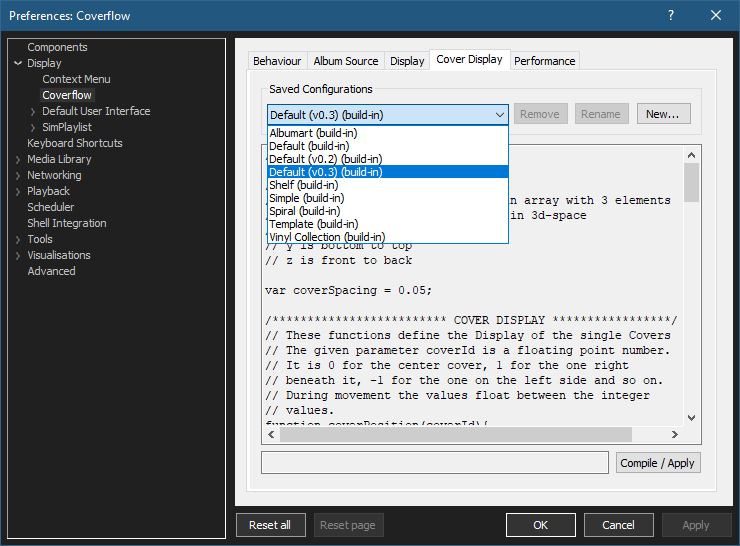
Coverflow Preferences – Cover Display:
Select from various built in display configurations, modify or create a new one. Click Compile / Apply after selecting a list item.
github.com/Chronial/foo_chronflow
www.foobar2000.org/components/view/foo_chronflow
hydrogenaud.io/index.php/topic,108450.0
hydrogenaudio Wiki

 The Audio File
Pingback: Foobar2000 ~ Album & Artist Artwork | The Audio File