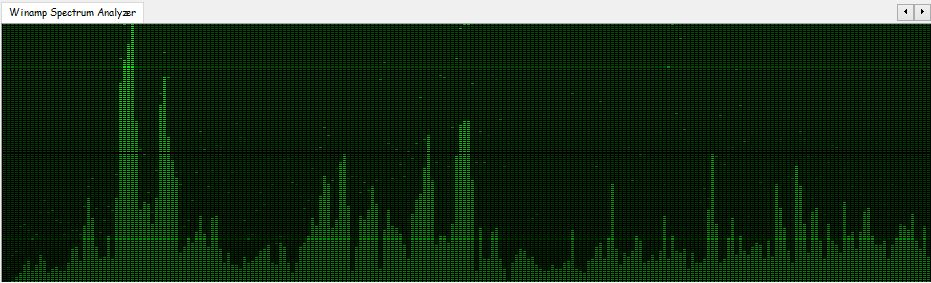
foo_vis_wispan is a Foobar2000 spectrum analyzer visualization implemented with GDI. It is a port of the Classic Spectrum Analyzer (vis_classic) Winamp visualization plug-in by Mike Lynch.
The foo_outinfo component exposes information about the current audio output and signal, such as the active output device, sample rate, bit depth, and channel count. These fields are especially useful in the status bar, where you want quick technical confirmation without cluttering playlists.
A simple and practical example is:
Now Playing: %artist% - %title% | %output_samplerate% Hz / %output_bitdepth% bit
What This Displays
When a track is playing, the status bar would show something like:
Now Playing: Miles Davis - So What | 44100 Hz / 16 bit
This tells you at a glance:
What is playing
The actual output sample rate
The output bit depth being sent to your audio device
Step By Step Explanation:
Music Metadata (Standard Fields)
%artist% - %title%
%artist% → Track artist tag
%title% → Track title tag
These are standard foobar2000 title formatting fields and work everywhere.
Separator
|
This is just plain text. It visually separates the music info from the technical output info. You can replace it with a dash, bullet, or brackets if you prefer.
foo_outinfo Output Fields
%output_samplerate%
Displays the actual output sample rate in Hertz
Reflects resampling, DSP changes, or output driver behavior
This is more reliable than %samplerate% when DSPs are active
%output_bitdepth%
Displays the bit depth used by the output
Shows what is being sent to the DAC, not just what is in the file
More Informative Versions
If you want to include channels and output device name:
Now Playing: %artist% - %title% | %output_samplerate% Hz / %output_bitdepth% bit / %output_channels% channels
Displays:
Now Playing: Aphex Twin - Xtal | 48000 Hz / 24 bit / 2 channels
If you want to add the current Replaygain mode:
Now Playing: %artist% - %title% | %output_samplerate% Hz / %output_bitdepth% bit / %output_channels% channels | RG %output_rg_source%
Displays:
Now Playing: Aphex Twin - Xtal | 48000 Hz / 24 bit / 2 channels | RG Album
If you want to display the active DSP
$if(%output_dsp%, | DSP: %output_dsp%)
Displays the separator and active DSP, otherwise displays nothing:
| DSP: Resampler (SoX)
Minimal Technical Version (Very Clean)
For users who want only output confirmation:
Output: %output_samplerate% Hz / %output_bitdepth% bit
Displays:
Output: 96000 Hz / 24 bit
Why Use foo_outinfo in the Status Bar?
Confirms what your DAC is actually receiving
Helps verify exclusive mode, resampling, and DSP behavior
Avoids cluttering playlists with technical data
Ideal for users who care about signal integrity but want a clean UI
Beginner Notes and Caveats
All output_* fields require foo_outinfo to be installed
These fields only show values while audio is playing
If nothing is playing, the fields will appear empty
Installing and Configuring OpenLyrics (foo_openlyrics) in foobar2000
OpenLyrics (foo_openlyrics) is the most actively maintained lyrics display component for foobar2000. It provides an integrated lyrics panel, automatic lyrics downloading, local storage, and optional editing support. This guide walks through installation, panel setup, and recommended configuration options.
Verify OpenLyrics is enabled under Preferences → Components.
Confirm the panel is visible and active.
Check that playback is active (lyrics are not fetched for stopped tracks).
Try manual search from the panel context menu.
Review source availability in the OpenLyrics preferences.
Summary
OpenLyrics is currently the most complete and actively maintained lyrics solution for foobar2000. Once installed and configured, it provides automatic lyrics retrieval, reliable local storage, and flexible display options suitable for both minimal and advanced layouts.
For new foobar2000 installations or users modernizing older setups, OpenLyrics is the recommended lyrics display component.
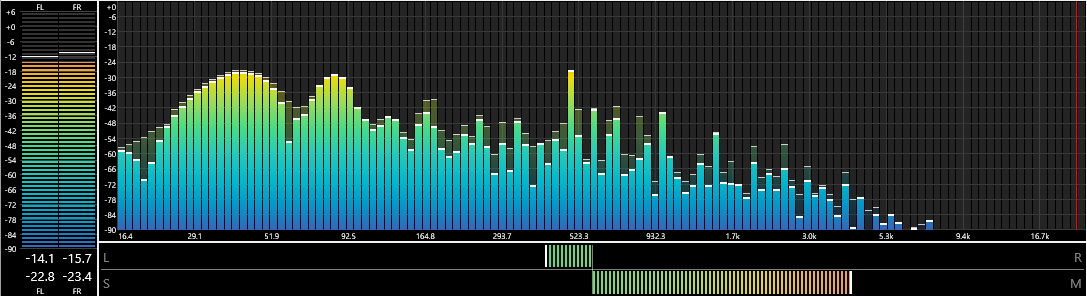
foo_vis_spectrum_analyzer is a foobar2000 component that implements a spectrum analyzer panel. It is an attempt to recreate the foo_musical_spectrum component by fismineur for foobar2000 64-bit.
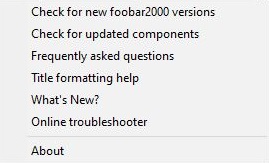
foo_whatsnew monitors your foobar2000 installation for any new additions or changes and records them. After installing foo_whatsnew, there will be a What's New? menu option on the Help menu which opens a panel displaying a list of recent changes. There’s now support for 64 bit installs and dark mode.
This Foobar2000 component collects and maintains enhanced statistics for played songs; primarily it records the timestamp of every play of a song, and not just the first and last. It will also query last.fm and record play times of every scrobble for a song.
foo_enhanced_playcount provides some additional functionality that foo_playcount does not, but is missing some functionality that foo_playcount has. They work well together, and foo_playcount should NOT be uninstalled when foo_enhanced_playcount is installed.
This component should be installed with foo_playcount and the same time foobar2000 is installed so playback statistics are maintained from the beginning.
%played_times_raw% – raw foobar timestamps: [129885911170000000, 129996456470000000, 131594314930000000] – There’s probably no reason to ever use this.
%lastfm_played_times% – Date formatted list of scrobbles: ["2012-08-04 15:58:37", "2012-12-10 14:40:46", "2018-01-02 23:38:13"]
%lastfm_play_count% – Count of last.fm plays, a la %play_count%: 5
%lastfm_added% – Single date: “2012-08-04 15:58:37“
%lastfm_first_played% – Always exactly the same as %lastfm_added%. Use whichever one makes most sense logically
%lastfm_last_played% – Single date: “2018-04-04 15:58:37“
%added_enhanced% – Returns the earliest of %added% (from foo_playcount) or %lastfm_added%. Single date: “2023-02-04 15:16:17“
%first_played_enhanced% – Returns the earliest of %first_played% (from foo_playcount) or %lastfm_added%. Single date: “2023-02-04 15:16:17“
%last_played_enhanced% – Returns the earliest of %last_played% (from foo_playcount) or %lastfm_last_played%. Single date: “2023-02-04 15:16:17“
These fields can be exposed via Title Formatting or used in scripts. This component does generate extra data per song played and may not be suitable for installations with limited storage.









 The Audio File