
A reusable Win32 text input control for foobar2000 title-format expressions, built as footilla.lib. Ships a Footilla-maintained copy of the Scintilla editing engine used by SciTE, with Footilla’s own title-format container lexer, completion catalog and call tips. The engine’s object files are included in the library: no Scintilla DLL, Lexilla DLL, SciTE executable, WTL runtime or foobar2000 SDK is required.

Playlist Management ~ Exporters & Parsers
Playlist Management: Export, Backup and Sync Your Music Playlists
Music playlists are increasingly tied to individual streaming services. A handful of open-source tools take different approaches to getting that information out, backing it up, or keeping playlists synchronized.
Playlist Out is a playlist parser and exporter aimed primarily at Chinese music services including QQ Music, NetEase Cloud Music, Kugou and Soda Music. It can turn playlists into TXT, CSV, Excel or JSON files. It is useful when the goal is simply to extract and preserve playlist information rather than move the playlist between services.
Exportify CLI takes a similar approach for Spotify, but is particularly useful for structured music-library work. It exports playlists to CSV or JSON and can include Spotify identifiers plus ISRC and album UPC, making the resulting data useful for further processing and metadata matching.
Playlist Exporter is a browser-based exporter for Spotify and Apple Music. It produces CSV or JSPF (JSON Shareable Playlist Format), or copies playlist data as JSON. Processing takes place locally in the browser, so it is primarily an export/interchange tool rather than a synchronization system.
SongMirror goes a step further. It connects Spotify, TIDAL, Qobuz, Deezer, Amazon Music, Apple Music and YouTube Music and can synchronize playlists between them. It uses identifiers such as ISRC for track matching and can operate as a one-way, multi-service or bidirectional synchronization system.
These applications therefore occupy different parts of the same playlist-management picture:
Playlist Out → extract
Exportify CLI / Playlist Exporter → export and preserve
SongMirror → match, transfer and synchronize
The exported files also provide a useful bridge to other music-library software. CSV and JSON can be processed by scripts and databases, while standardized playlist formats such as JSPF can provide an interchange layer between applications.
For anyone maintaining a long-term music collection, playlist export is more than a convenience: it provides a way to preserve playlists independently of the service that originally created them.
Share this:

HiFi Log ~ User Driven Equipment Database
HiFi Log is a platform for the hi-fi community. Its aim is to create an all-encompassing database of audio brands and their products, both existing and discontinued. It is designed to help users discover new products while also allowing them to keep track of what they currently own or used to own.
Share this:

foo_rubato ~ Foobar2000 Rubato BPM Analyzer
Detects the tempo of a track and which of Tango, Vals, Milonga it is – or none of the three – from the audio alone, without reading the genre tag.
The two answers are linked. The tempo a dancer taps is not a property of the audio by itself: a tango is tapped on the beat, a vals once per 3/4 bar, a milonga once per 2/4 bar, a reggae on the quarter note – under the skank rather than on it. So the rhythm is settled first and the tempo reported on the level that rhythm implies. Measured against 3,692 hand-tapped tracks the estimate lands within 2 BPM of the tap 88.7% of the time, which is about as close as the same person tapping the same track twice; rhythm classification is 93.6% accurate. docs/tango-analysis.md has the method and the full numbers, and docs/cortina-genres.md covers the cortina genres that were measured and left alone.
Originally written by Michael Balzer+Holger Stenger as BPM Analyser, but bpmcore engine was completely rewritten.
github.com/shaforostoff/foo_rubato
hydrogenaudio.org/index.php/topic,129923.0
References:
en.wikipedia.org/wiki/Tempo_rubato
Share this:

FxSound ~ Digital Soundcard
FxSound is a digital audio program built for Windows PC’s. The background processing, built on a high-fidelity audio engine, acts as a sort of digital soundcard for your system. This means that your signals will have the clean passthrough when FxSound is active. There are active effects for shaping and boosting your sound’s volume, timbre, and equalization included on top of this clean processing, allowing you to customize and enhance your sound.
github.com/fxsound2/fxsound-app
github.com/fxsound2/fxsound-driver
Share this:

gonic ~ Self-hosted Music Server
music streaming server / free-software subsonic server API implementation
Features:
- browsing by folder (keeping your full tree intact) see here
- browsing by tags (using taglib – supports mp3, opus, flac, ape, m4a, wav, etc.)
- on-the-fly audio transcoding and caching (requires ffmpeg) (thank you spijet)
- subsonic jukebox mode, for gapless server-side audio playback instead of streaming (thank you lxea)
- support for podcasts (thank you lxea)
- pretty fast scanning (with my library of ~50k tracks, initial scan takes about 10m, and about 6s after incrementally)
- multiple users, each with their own transcoding preferences, playlists, top tracks, top artists, etc.
- last.fm scrobbling
- listenbrainz scrobbling (thank you spezifisch, lxea)
- artist similarities and biographies from the last.fm api
- support for multi valued tags like albumartists and genres (see more)
- a web interface for configuration (set up last.fm, manage users, start scans, etc.)
- support for the album-artist tag, to not clutter your artist list with compilation album appearances
- written in go, so lightweight and suitable for a raspberry pi, etc. (see ARM images below)
- newer salt and token auth
- tested on airsonic-refix, amperfy, symfonium, dsub, jamstash, music-assistant, subsonic.el, sublime music, soundwaves, stmp, termsonic, tempus, strawberry, and ultrasonic
Share this:

tinytag ~ Python Tag Library
tinytag is a Python library for reading audio file metadata.
Features:
- Read tags, images and properties of audio files
- Supported formats:
- ID3 v1, v1.1, v2.2, v2.3, v2.4
- MP3 / MP2 / MP1
- MP4 (MPEG-4 Audio / AAC / ALAC)
- WAVE / WAV
- OGG (FLAC / Opus / Speex / Vorbis)
- FLAC
- ASF (WMA)
- AIFF / AIFF-C
- Same API for all formats
- Small, portable library
- High code coverage
- Pure Python, no dependencies
- Supports Python 3.7 or higher
Share this:

foo_artwork ~ Foobar2000 Advanced Album Art Display
A high-performance, feature-rich artwork display component for foobar2000 v2 (x64 and 32-bit). It provides intelligent, multi-tiered artwork discovery and acoustic audio recognition for local tracks, internet radio streams, and YouTube playback. It seamlessly supports both Default User Interface (DUI) and Columns UI (CUI).
Artwork Discovery & Retrieval:
- Local Artwork Search: Automatically searches for artwork files and embedded tags configured in foobar2000 (Preferences > Display > Album Art).
- Online Commercial Search APIs: Automatically queries Deezer, iTunes, Last.fm, MusicBrainz (Cover Art Archive), and Discogs when local artwork is missing.
- Customizable API Priority: Reorder and enable/disable individual API services via an intuitive 5-position priority chain.
- In-Stream Broadcast Artwork Extraction: Parses dynamic in-stream cover links from
$info(cover_url),COVER_URL,ARTWORK_URL,icy-cover-url,song.art, and XML/JSON broadcast streams (e.g. Radio Paradise, Cidade FM).- YouTube Video Thumbnail Retrieval: Automatically extracts 11-character video IDs from YouTube links and plugin protocols (
youtube.com,youtu.be,3dyd://,fy://,fy+https://), querying commercial music APIs first and falling back to high-resolution video thumbnails (maxresdefault.jpg/hqdefault.jpg).- Interactive Provider Rejection: Reject mismatched artwork on-the-fly via shortcut or menu command (View > Artwork Display > Reject Artwork & Search Next Provider). Evicts the bad cache file, blacklists the provider for the active track, and queries the next provider in the fallback chain.
- Universal Format Support: High-performance decoding for
.png,.jpg/.jpeg,.webp(via Windows Imaging Component),.gif, and.bmp.Internet Radio & Streaming Intelligence:
- ACRCloud Acoustic Audio Recognition: Local 16 kHz PCM stream sampling and RIFF WAV payload generation to identify untagged radio streams and music tracks via acoustic fingerprinting.
- Multi-Account ACRCloud Failover: Configure Primary and Secondary credentials with automatic, seamless failover when the Primary account exhausts its monthly quota (Error 3001).
- Windows DPAPI Credential Security: ACRCloud Access Keys and Secrets are securely encrypted on disk using the Windows Data Protection API (
CryptProtectData), eliminating plaintext exposure in.cfgfiles.- CoverSync Stream Latency Compensation: Asynchronous cue delay compensation (
?coversync=±N) synchronizes artwork and metadata transitions on radio streams where the audio buffer lags behind metadata changes.- External Now-Playing Stream APIs: Automated polling and auto-probing for AzuraCast (
/api/nowplaying) and RadioReg (api.radioreg.net) JSON endpoints, supporting live listener counts, cue timings, and HLS streams.- m-TAGS & URL Modifiers: Full support for
.tagsfiles (reading target stream URLs from the@metadata tag) and URL query flags (?forceacr,?coversync,?inverted,?rejectstationcovers,?ext_api_autoprobe,?bypass).Dynamic Title Formatting Variables:
- Canonical API Metadata Publication: Commercial search APIs (Deezer, iTunes, Last.fm, Discogs) and ACRCloud extract authoritative metadata directly into foobar2000 title formatting variables (
%foo_artwork_artist%,%foo_artwork_title%,%foo_artwork_album%), replacing messy stream tags.- Dynamic Track Timing: Real-time duration (
%foo_artwork_length%), elapsed time (%foo_artwork_playback_time%), and countdown remaining (%foo_artwork_playback_remaining%) calculated for both local audio files and live radio streams.- Live Stream Diagnostics: Real-time status string (
%foo_artwork_status%) reporting query stages, stream connection progress, CoverSync countdowns, and image dimensions with payload size (e.g.Art 1200x1200 342 KB from Deezer).- Live Listener Counts: Real-time listener statistics (
%foo_artwork_listeners%) from AzuraCast and RadioReg broadcasts.Advanced Metadata Sanitization:
- 4-Stage Stream Metadata Sanitizer: Cleans noisy stream metadata by stripping broadcast slogans, stream headers, URLs, timestamps, track numbers, and media noise while protecting band names containing
&,and, or slashes (Mumford & Sons,Earth, Wind & Fire,AC/DC).- Accented UTF-8 Title Casing: Normalizes all-caps and all-lowercase stream metadata into Title Case with full support for accented characters across Portuguese, Spanish, French, and Italian without CP1252 character corruption.
- Non-Latin Script Preservation: Conservative sanitization rules protect Cyrillic, Greek, and other non-Latin alphabets from accidental bracket stripping or character truncation.
- Dedicated Noise Words Blacklist: User-configurable blacklist page backed by an auto-reloaded text file (
foo_artwork_data\blacklist.txt).Caching & Storage Architecture:
- Persistent Disk Metadata Caching (
.metaSidecars): Remote API metadata is cached on disk alongside image binaries (<hash>.metaalongside<hash>.cache), ensuring instant warm track replays in under 1ms with zero network overhead.- Automatic 1 GB Disk Cache Limit: Intelligent background LRU (Least Recently Used) cache eviction automatically keeps the cache under 1 GB, pruning old entries down to 900 MB when needed.
- Single-File Cache Mode (
current.cache): Overwrites a single cache file (current.cache) for external skin scripts and panels (e.g. JScript Panel 3 Thumbs) that monitor a folder for the currently playing track’s artwork.- Cache Freshness Verification: Automatically verifies whether local artwork or file tags were updated after the cache was generated, refreshing stale cache entries automatically.
User Interface & Interactivity:
- Dark Mode Support: Full native theme integration with foobar2000 dark mode across all UI elements and dialogs.
- Dual UI Support: Native panel integration for both Default UI (DUI) and Columns UI (CUI).
- Popup Artwork Viewer: Double-click any artwork panel to launch an interactive viewer with window memory, a toggle between “Fit to window” and “Show original size”, mouse-drag panning for oversized images, and a “Save Image…” button.
- foo_artgrab Integration: Automatic hover overlay displaying a download arrow icon in the bottom-left corner when
foo_artgrab.dllis installed, launching the art grabber gallery in one click.- On-Screen Display (OSD) & Infobar: Optional Infobar in DUI displaying artist, album, and track title; configurable OSD overlay showing the artwork provider source.
github.com/jame25/foo_artwork
hydrogenaudio.org/index.php/topic,128111.0
Share this:

FluidEQ ~ System-wide Parametric Equalizer
FluidEQ is a free, open-source system-wide parametric equalizer for Windows 10 and 11, processed by its own audio engine or by Equalizer APO — your choice. Tune once per output, and the right sound follows the right device without you touching anything again.

Share this:

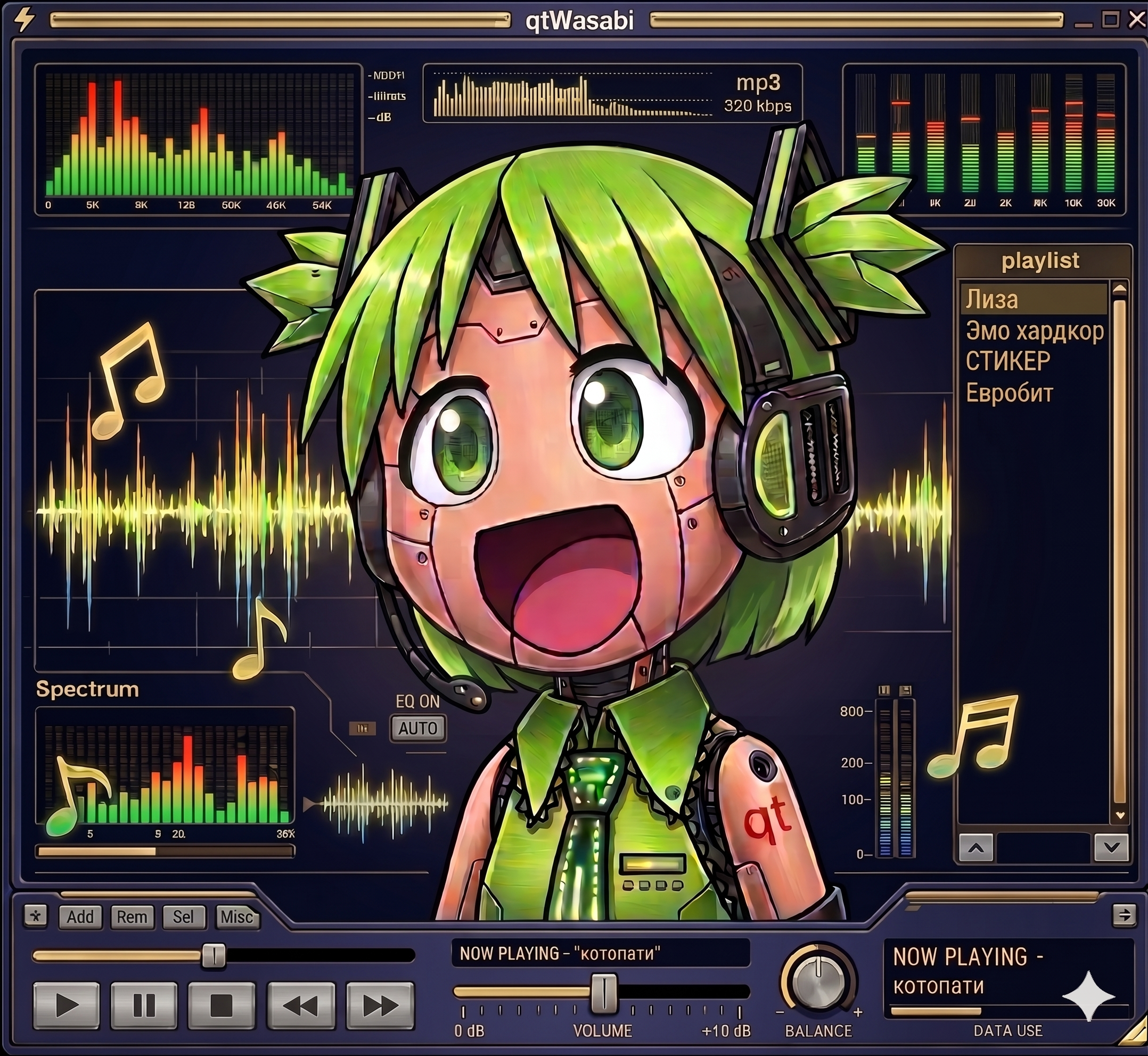
qtamp ~ qtWasabi Reference Player
I never wanted a player that looks like Winamp. I wanted one that actually runs Winamp skins. The difference is bigger than it sounds. A Modern Skin is not a bitmap theme, it is a program. XML declares the widget tree, compiled Maki bytecode drives the behavior. Drawers slide, tabs switch, windows change their shape, all of it scripted by the skin itself. Repaint that and you have a pretty poster. I wanted the original.
That is why qtamp runs skins as real programs. qtamp is my Qt6-native music player and the reference player for qtWasabi, my independent reimplementation of a Modern Skin engine. Skins ship their compiled Maki bytecode with them, and qtWasabi executes it in its own Maki VM. The skin’s logic drives the interface exactly the way it did in 2002.
The name is a play on words. “Qt” as in the framework, “qt” as in cute. A Qt-native amp, and hopefully a cute one.
Share this:

Windows-Audio-Output-Switcher ~ Audio Device Switch
A small, self-contained tray utility for Windows that lets you cycle through your audio playback devices with a single hotkey, and shows an on-screen overlay telling you which one is now active.
It’s a single ~4 MB
.exewith no installation dependencies, no admin rights required, and nothing running except while you’re logged in.What it does:
- Cycles the default playback device. Press Win+A (the default hotkey, changeable), left-click the tray icon, or pick a device from the right-click menu, and Windows’ default audio output moves to the next active playback device in the list, wrapping back to the first one after the last. It takes effect for every application immediately — the same as changing it by hand in the Windows sound settings.
Win+Aactually works for this, even though Windows normally reserves it for Quick Settings (same goes for any other reserved combo you configure it to instead). See how.- Shows an on-screen overlay on every switch — styled after Windows’ own volume/brightness OSD, not a toast notification — naming the device that is now active, so you get instant confirmation of what you just switched to. A burst of rapid switches only ever shows the latest one.
- Lives in the system tray:
- Left-click the tray icon to switch to the next output device.
- Hovering it shows the app version and the currently active device.
- Right-click opens a menu listing every currently active output device — click one to switch to it directly (the active one is checked) — followed by Configure and Exit.
github.com/SpikePy/Windows-Audio-Output-Switcher
Security note: The Win+A hotkey requires a Windows low-level keyboard hook, which can receive system-wide keyboard events. The author says the program only checks for the configured hotkey and does not record or transmit keystrokes. Because this technique can also be used by keyloggers, security software may flag the executable heuristically.
Share this:

foo_spectrum_compare ~ Multispectrogram Comparison
A vertical multitrack spectrum comparison panel component designed for foobar2000, suitable for the default UI (DUI).
Features:
Configuration persistence: Panel settings are serialized using the .fth format.
Floating panel: Supports use as an independent floating panel, which can be opened through the main menu “View” (hold Shift to show hidden menu items).
Vertical multi-track comparison: Select multiple audio tracks and divide them vertically into equal sections. Up to 4 audio tracks can be compared simultaneously to show frequency characteristics.
Background thread analysis: Each audio track is decoded and analyzed in an independent thread, without blocking the UI. Analysis begins immediately upon selection, with loading in seconds.
Spek-style color schemes: 3 built-in color palettes—Spectrum (Spek’s classic rainbow), SoX, and Mono (monochrome).
Frequency axis labeling: The left side displays a linear frequency scale of 0–22 kHz, which can be toggled in the right-click menu.
Timeline markings: The bottom displays time scales at 20-second intervals, which can be toggled in the right-click menu.
Custom title format: Supports foobar2000 titleformat syntax for custom track tags, displayed by default
%title% | %codec% | %bitrate% kbps[ | $info(bitspersample) bit] | %samplerate% Hz | $info(channels) CH | %path%. Right-click to edit the format and press Enter to confirm; the spectrum will not be reloaded.DPI-aware: Correctly scales on high-resolution screens such as 4K, with spacing, fonts, and axes all adapting automatically.
Double-buffered rendering: The overall image is output with double buffering, resulting in flicker-free switching between songs.
Bilingual interface: The right-click menu supports one-click switching between Chinese and English, and the language setting is persistent with the panel configuration.

github.com/a1waysbeta/foo_spectrum_compare


