
foo_bpm – A Foobar component for automatically analyzing the number of beats per minute in audio files.
Installing and using foo_bpm:
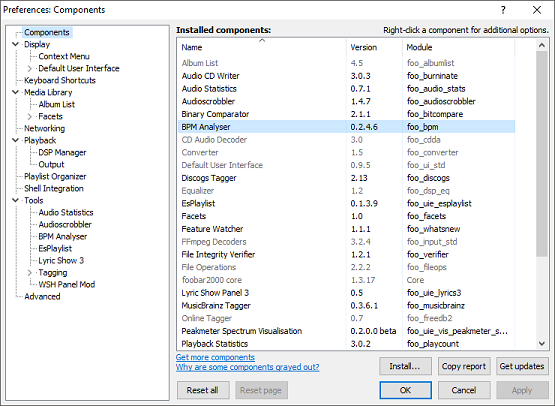
First download and install foo_bpm.fb2k-component.
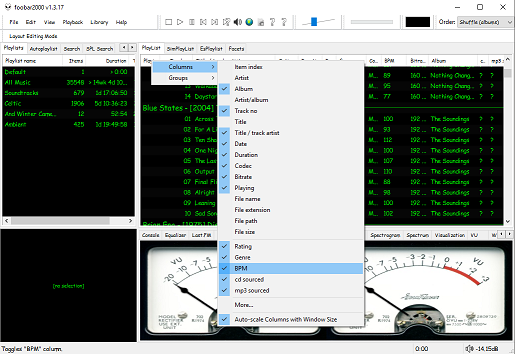
The second step is adding a new BPM playlist column to the DUI playlist viewer:
The third step, add an Analyze BPM toolbar button:
- Right click on the metronome icon ico file shown below and download / save it locally
- Right click the Foobar toolbar
- Select the Customize button
- Select from Available Commands [context] > BPM Analyzer > Automatically analyze BPMs
- Click Add
- Click
Change Iconand select the downloaded metronome.ico file - Click
OK


The fourth and final step is to select and scan files:
Once the toolbar button is installed, songs can be selected then scanned. The songs will now be tagged with the %bpm% tag and can be selected or sorted by beats per minute as displayed in the playlist column.
Video: www.youtube.com/watch?v=Pg_wJH6TjcY
References:
www.foobar2000.org/components/view/foo_bpm
hydrogenaud.io/index.php/topic,77142.0
Updated Configuration
github.com/stengerh/foo_bpm
foobar.hyv.fi/?view=foo_bpm (latest version)

 The Audio File